PayWell
Corporate
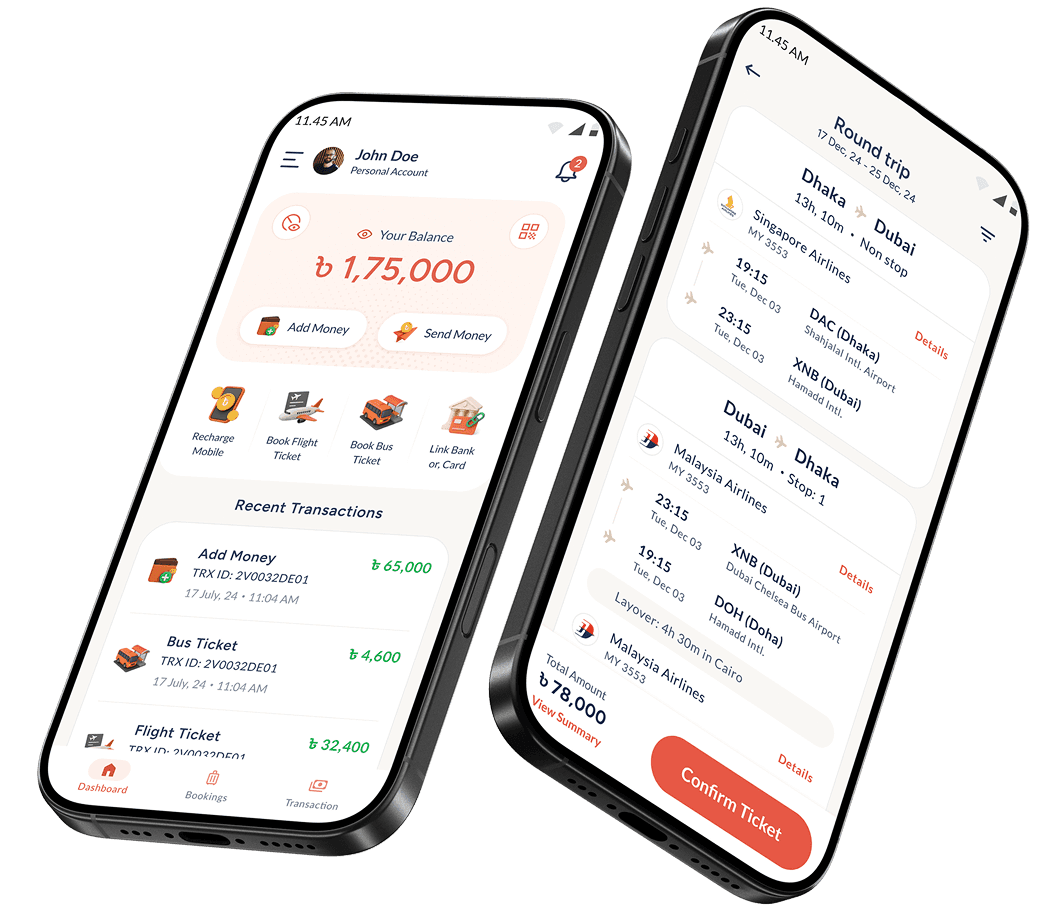
PayWell Corporate streamlines operations and transactions for Bangladeshi businesses on a single platform.
The Challenge: Managing Business Operations in Bangladesh
In Bangladesh, employees need essential services like mobile balance, travel arrangements, and conveyance for fieldwork. HR departments rely on multiple partners for these tasks, creating fragmented workflows and delays. Each request requires multiple approvals and meticulous invoice management for compliance and fiscal audits.
Employee sends
request
Request for travel, recharge, or conveyance via admin panel.

HR shares
service details
HR provides tickets, recharge,
or money to employee.
Request
approval process
HR, line manager, and finance approve the request.


HR using
3rd-party services
Procures services via partners, apps, or companies.
Invoice sent to
finance
HR submits invoice to finance for record keeping.

Employee uses
personal resources
Employee purchases & requests reimbursement.
Employee
submits invoice
Employee shares invoice with HR for reimbursement.
Reimbursement
completed
Finance reimburses employee through bank or MFS app.
Can HR fulfill
request?
START
Yes
No





PROBLEM STATEMENT
Businesses in Bangladesh face inefficiencies and delays due to fragmented service management, multiple approvals, and complex invoice tracking for employee essentials like travel, mobile recharge, and conveyance.
Solving multi-provider dependency with an all-in-one platform
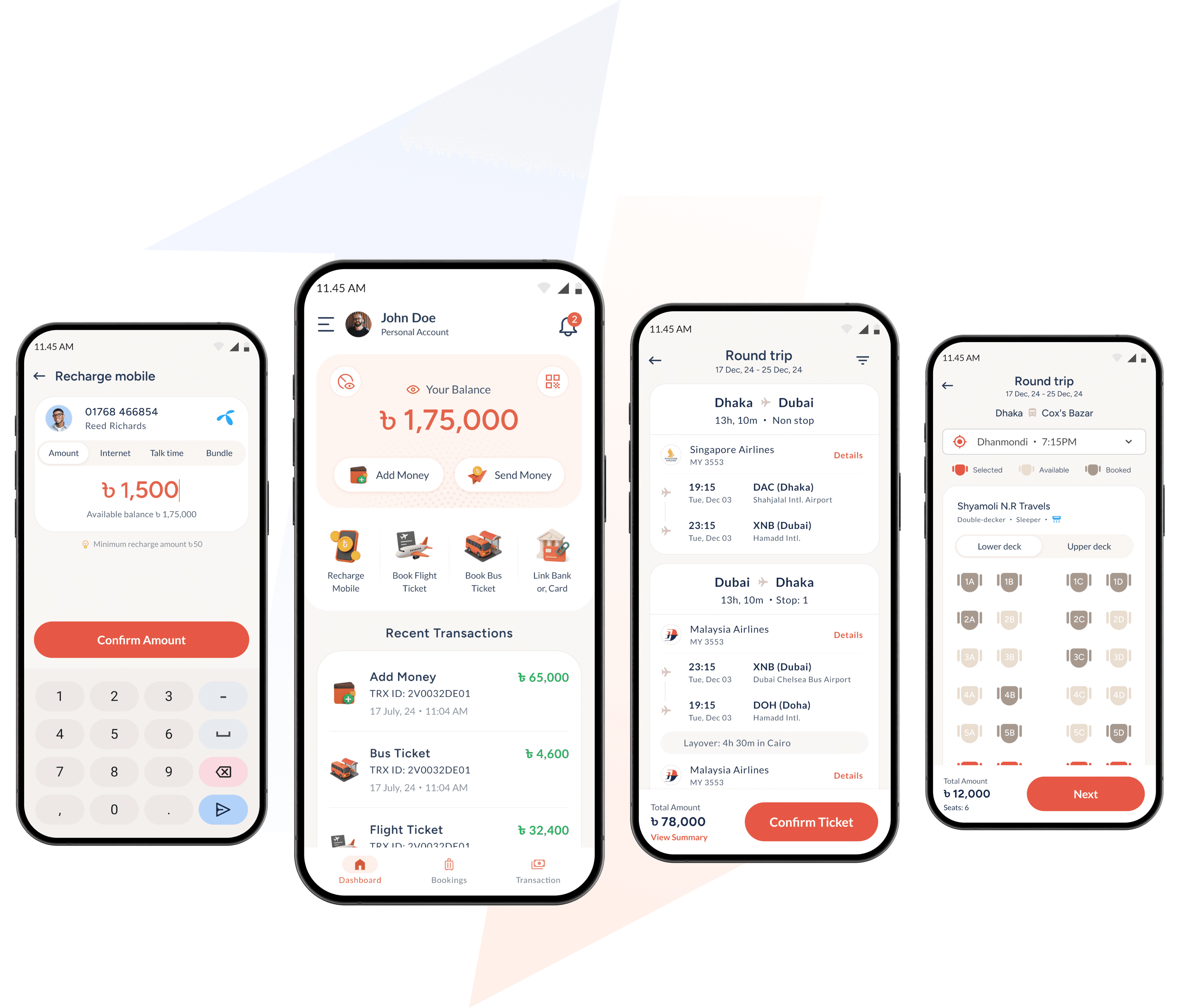
The PayWell Corporate app simplifies service management by consolidating multiple providers into one platform, enabling faster fulfillment of travel, mobile recharge, and conveyance needs while ensuring all transactions are recorded in one place for easy auditing.
My Responsibilities
As the Lead Product Designer for the PayWell Corporate app, I was responsible for creating a seamless user experience while aligning business needs.
UX Research &
Strategy
Conducted user interviews with HR teams to understand service request workflows
Analyzed existing corporate service platforms to identify gaps and opportunities.
Prototyping &
Design
Designed task-specific workflows for booking travel, recharges, and payments.
Created admin panels for HR & Finance to manage and approve requests and track expenses.
Collaboration &
Communication
Worked with stakeholders and developers to align design with business needs.
Provided design specs and prototypes for seamless development handoff.
Goals & Objectives
GOALS
OBJECTIVES
Centralize service
management
Integrate travel bookings, mobile recharges, and financial transactions into a single platform to eliminate dependency on multiple providers.
Streamline service requests
Reduce manual approvals and external coordination by providing a structured workflow for HR and employees.
Ensure faster service fulfillment
Enable employees to receive recharges, tickets, and conveyance funds quickly without unnecessary delays.

Enhance HR and finance efficiency
Provide dedicated admin tools to manage requests, track expenses, and simplify reimbursements.
Improve financial transparency
Maintain all invoices and transaction records in one place for easy verification and auditing.
Research & Insights
User Research
Gathered insights through direct engagement with key stakeholders, who are HR Managers, Finance Team & Employees.
KEY FINDINGS
PAIN POINTS
80%
of HR managers struggle with
fragmented workflows due to multiple service providers.
Manual processes: Service requests involve
multiple steps and approvals.
60%
of employees face delays in service fulfillment, affecting work efficiency.
Scattered financial records: Companies lack a centralized system for tracking expenses.
70%
of finance teams report difficulties in tracking transactions and approvals.
Delays in fulfillment: Employees often need to use personal funds and seek reimbursements later.
Market Analysis
Analyzed existing corporate service management tools in Bangladesh to assess gaps and opportunities.
Travel Booking
(Flights Only)
Send Money
(MFS Apps)


Send Money
(Banking Apps)




Travel Booking
(Bus Only)
Balance Recharge
(Service Provider Apps)







FEATURE
EXISTING SOLUTION
COMPETITOR INSIGHTS
Service Integration
Requires multiple apps
No single solution integrates travel, recharges, and financial transactions.
Invoice Tracking
Manual documentation
Companies rely on multiple external vendors, making expense tracking complex.
Approval Process
Time-consuming
A centralized platform can significantly improve efficiency and transparency.
Design Process
Ideation & Concept Development
To ensure PayWell Corporate effectively addressed business needs, user challenges, & regulatory requirements, three key sessions were conducted.

Business & Operations
Alignment
Engaged with stakeholders to define business goals, & compliance needs.
Assessed licensing requirements from Bangladesh Bank for secure transactions.
Product Strategy &
Flow Mapping
Collaborated with Product Managers to outline the MVP app flow.
Mapped out key user journeys based on initial research findings to streamline service.
Regulatory Compliance Consultation
Engaged with Bangladesh Bank's regulatory board to define an approved process.
Defined data collection standards, required documentation, & workflows.
Core Features & Flow in Version 1
The first version of PayWell Corporate focused on delivering key financial and travel solutions, ensuring seamless operations for businesses.


Add Money
Load funds into the PayWell wallet from banks or cards.

Send Money
Transfer funds securely to employees or vendors.

Recharge Mobile
Instantly top-up mobile balances for communication.

Book Bus Ticket
Reserve intercity bus tickets directly from the app.

Book Flight Ticket
Book domestic and international flights with ease.
Link Bank & Cards
Connect corporate bank accounts & cards for payments.
Basic User Flow
Employee submits a request through the company’s internal process.
HR purchases the service directly from the PayWell Corporate app.
HR shares details with the employee and finance team.
Finance retrieves invoices from the app for record-keeping.
Employee uses the service without delays or, manual reimbursement.
START





🟠
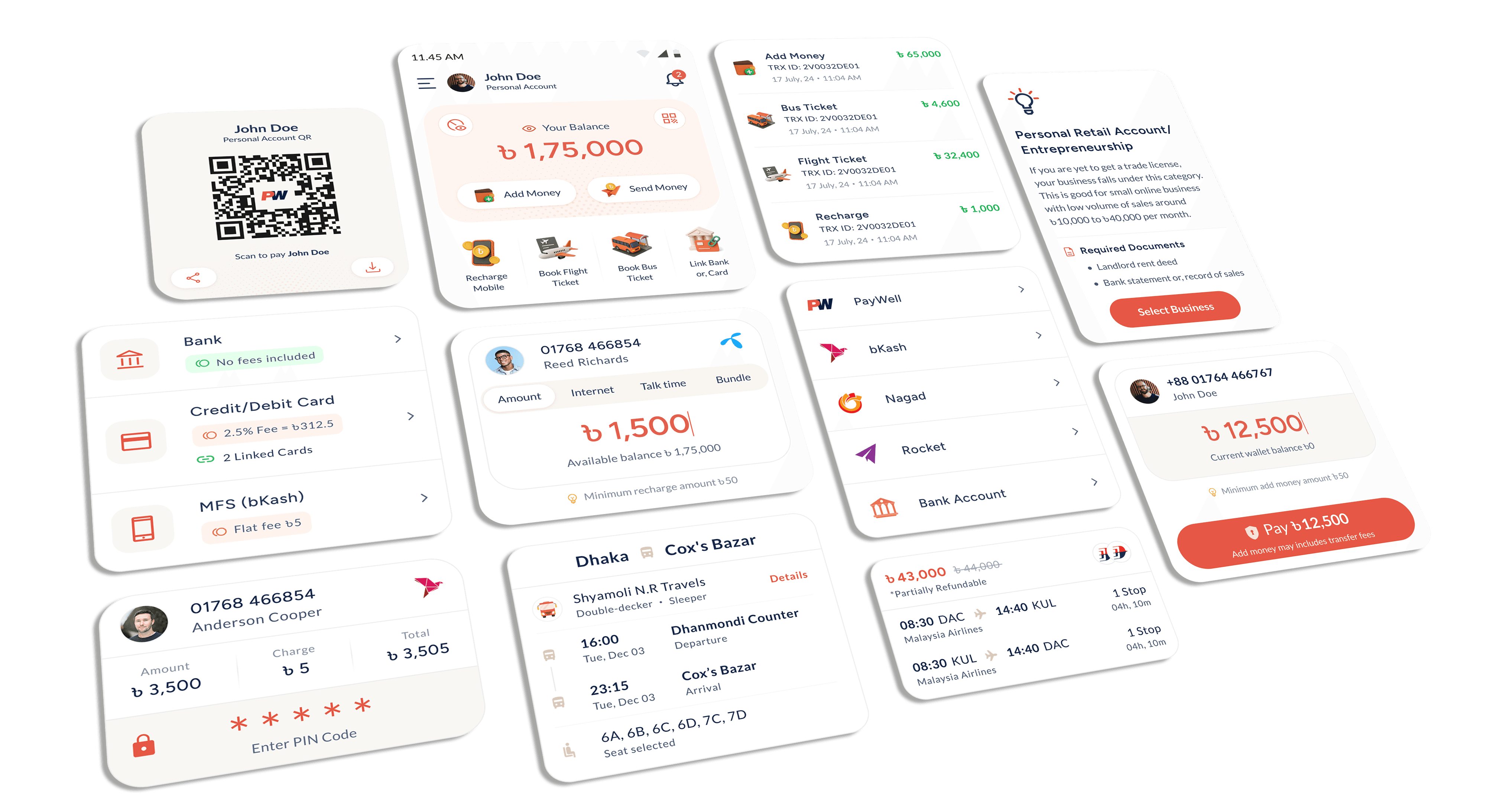
Orange sets the app apart in a crowded fintech space, reflecting its wide service range.
🫧
Muted palette improves readability and ensures compliance with contrast standards.
🔵
Dark blue adds trust, grounding the interface with a professional, financial tone.
🎨
Soft backgrounds reduce visual noise and keep user attention on key actions.
Making it Local: Translating
for Real Users
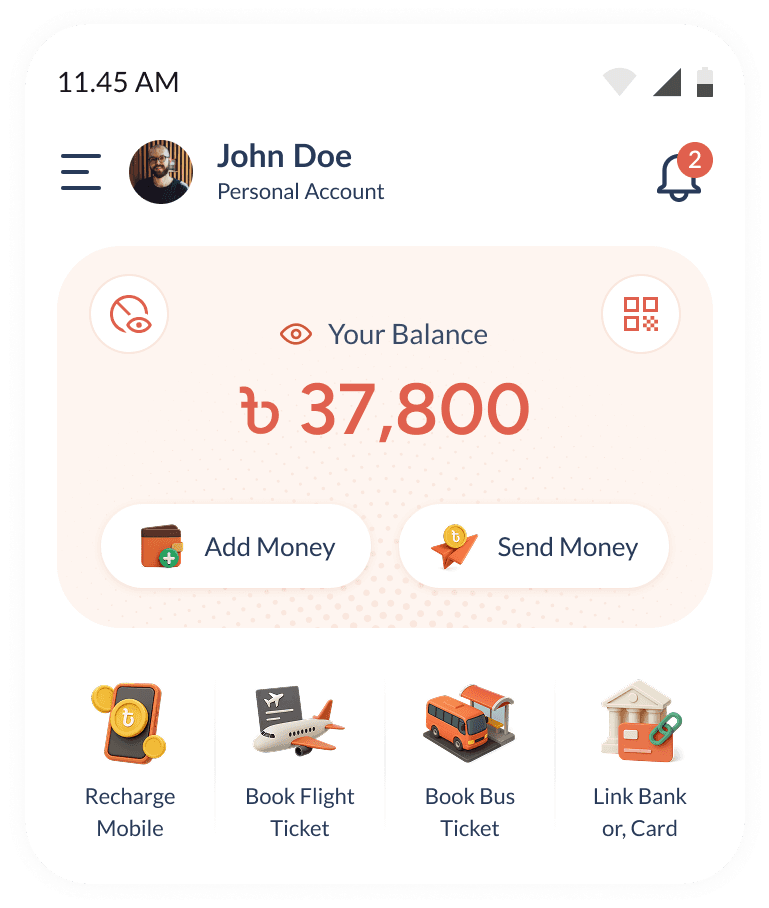
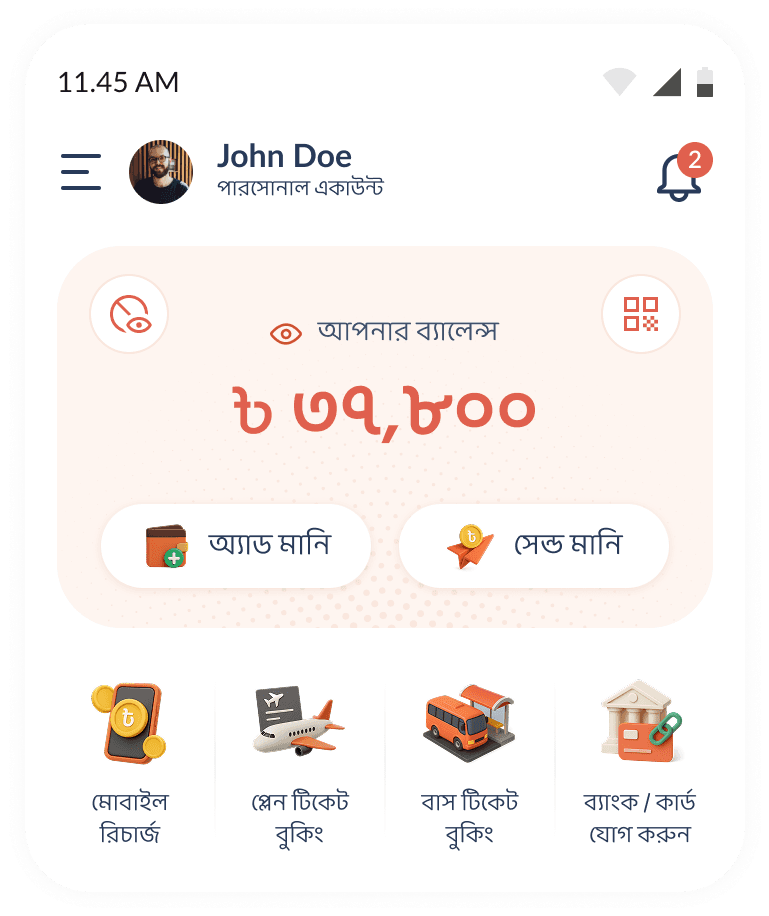
The app supports Bangla localization for broader accessibility, using phonetic terms aligned with ShopUp’s brand voice. This ensured clarity while keeping the tone familiar and consistent.
Language Strategy
Adapted commonly used English terms into Bangla phonetics.
Used familiar expressions to explain complex features simply.
Cross-functional Collaboration
Worked closely with Brands Team for culturally relevant copy.
Refined translations through real user feedback over time.
English
Bangla
Designing PayWell
Corporate App
These screens below highlight key steps in the flow and don’t include all the screens designed for the app.
1
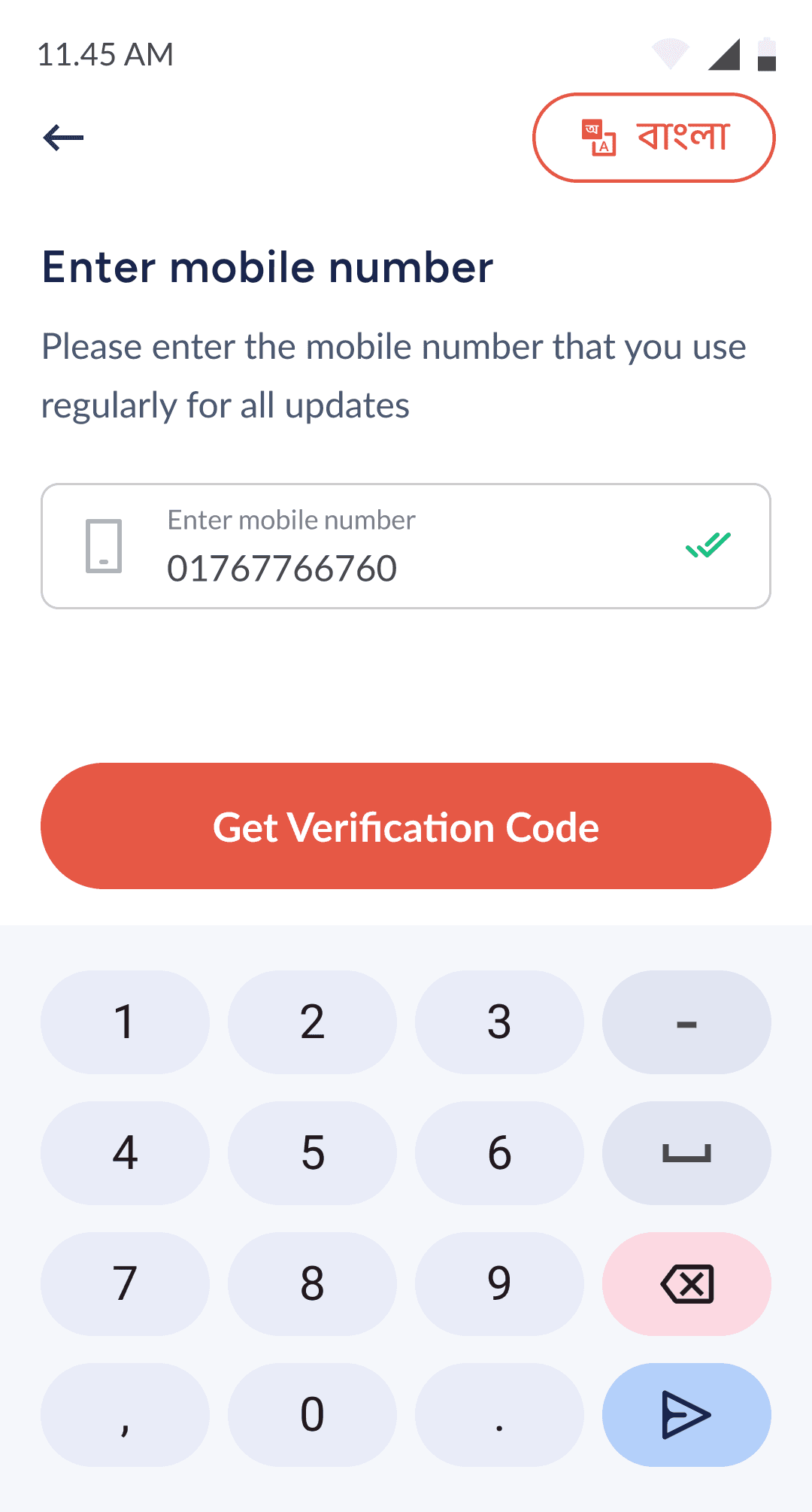
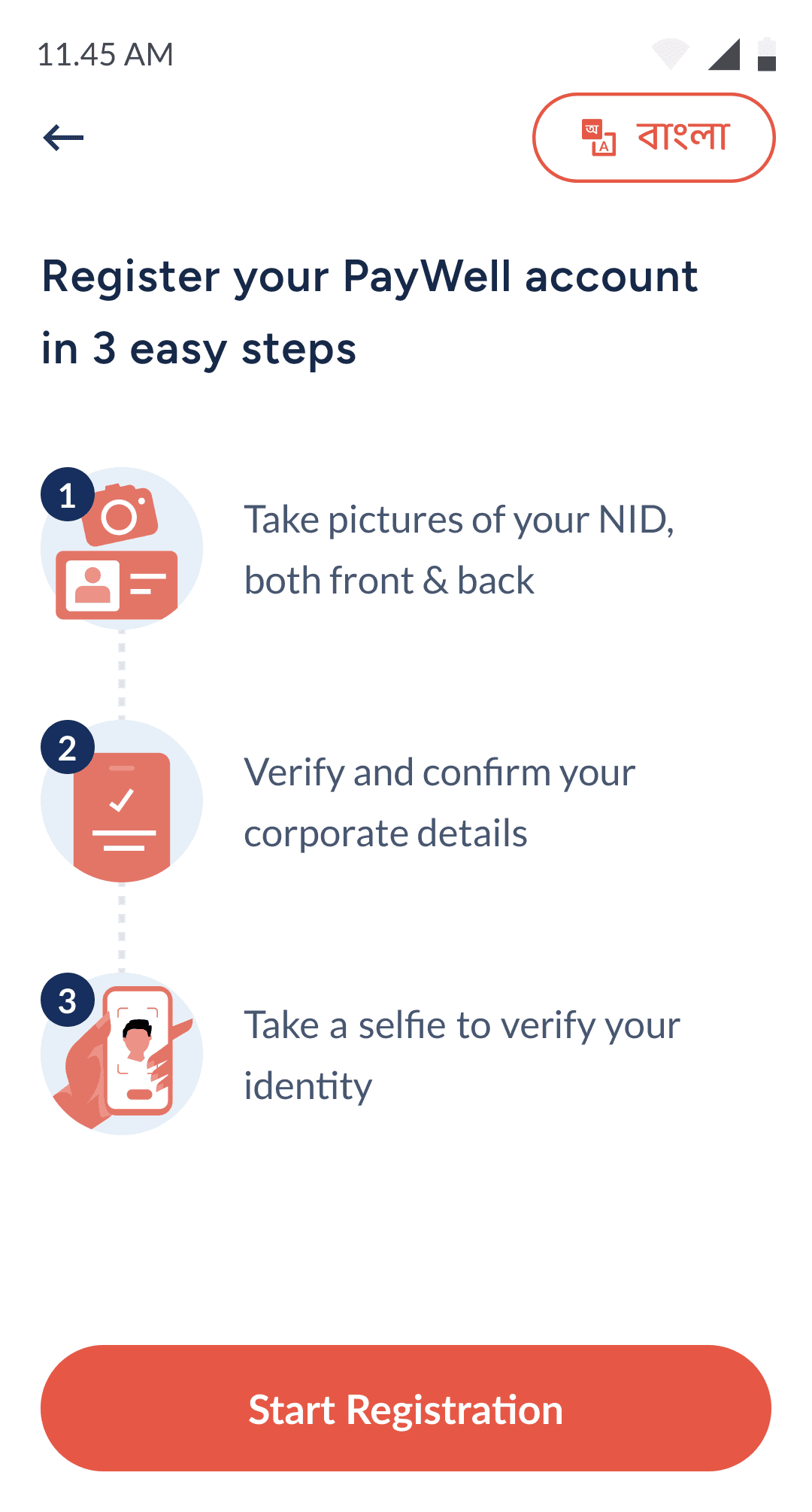
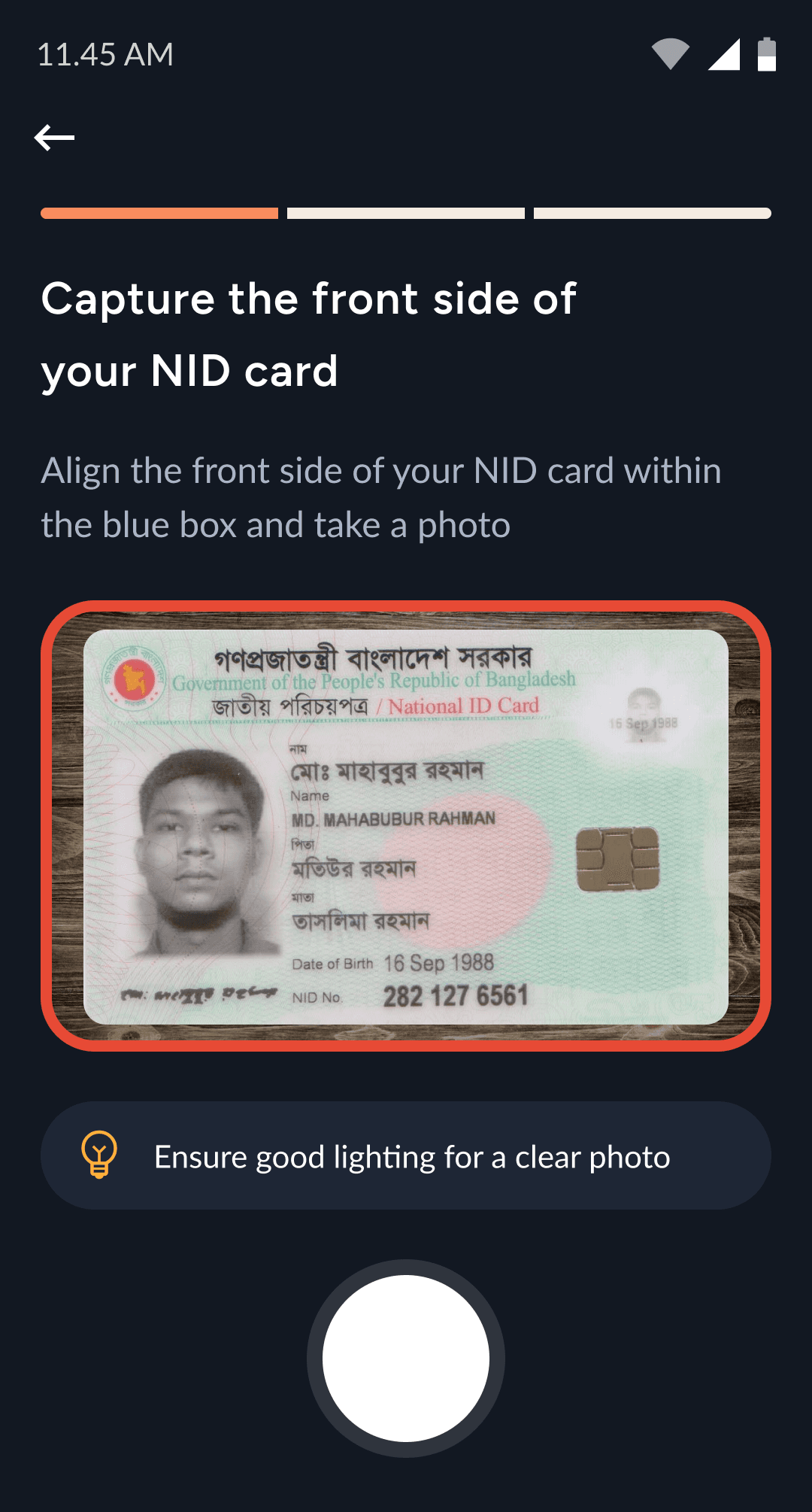
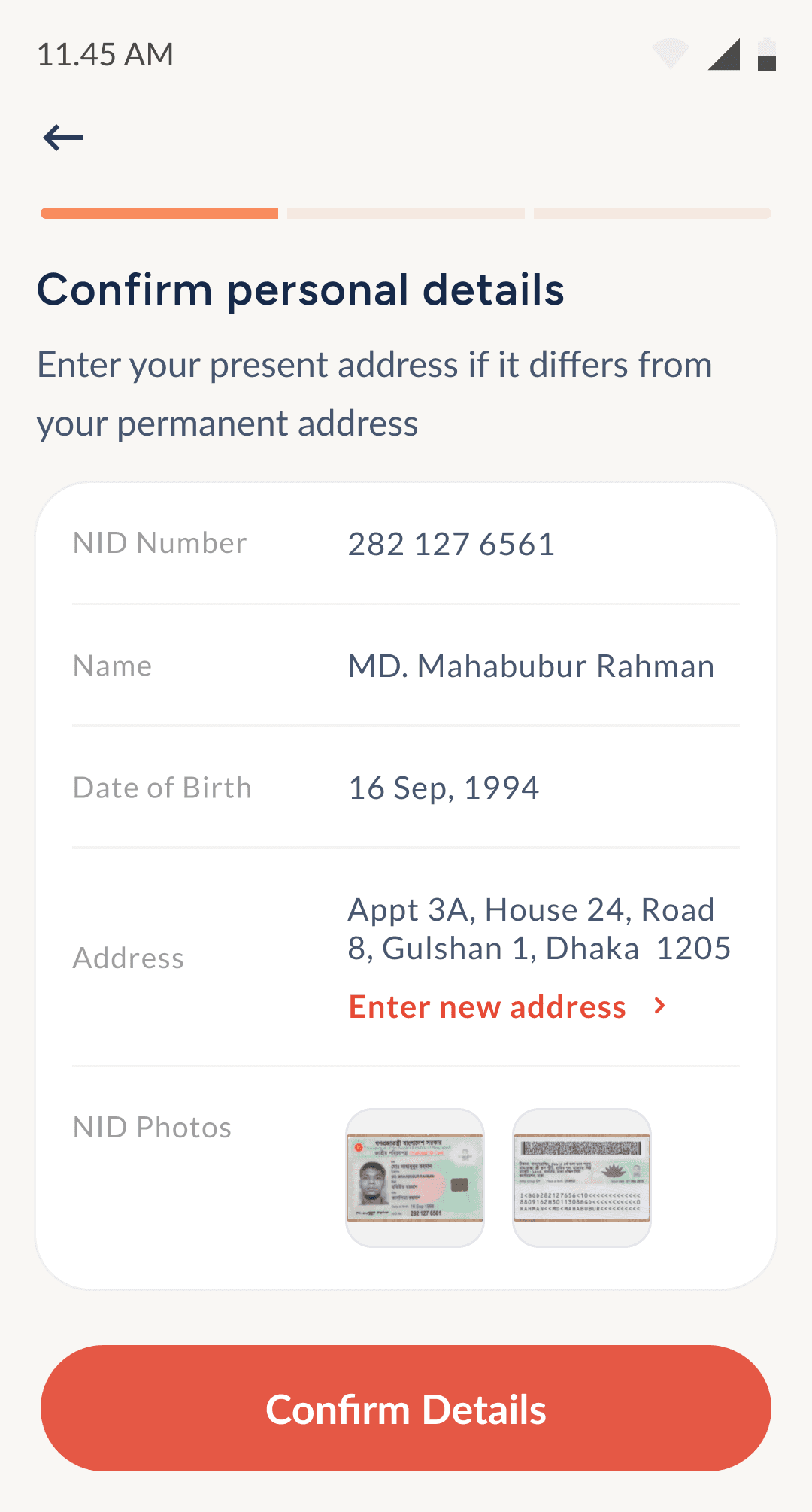
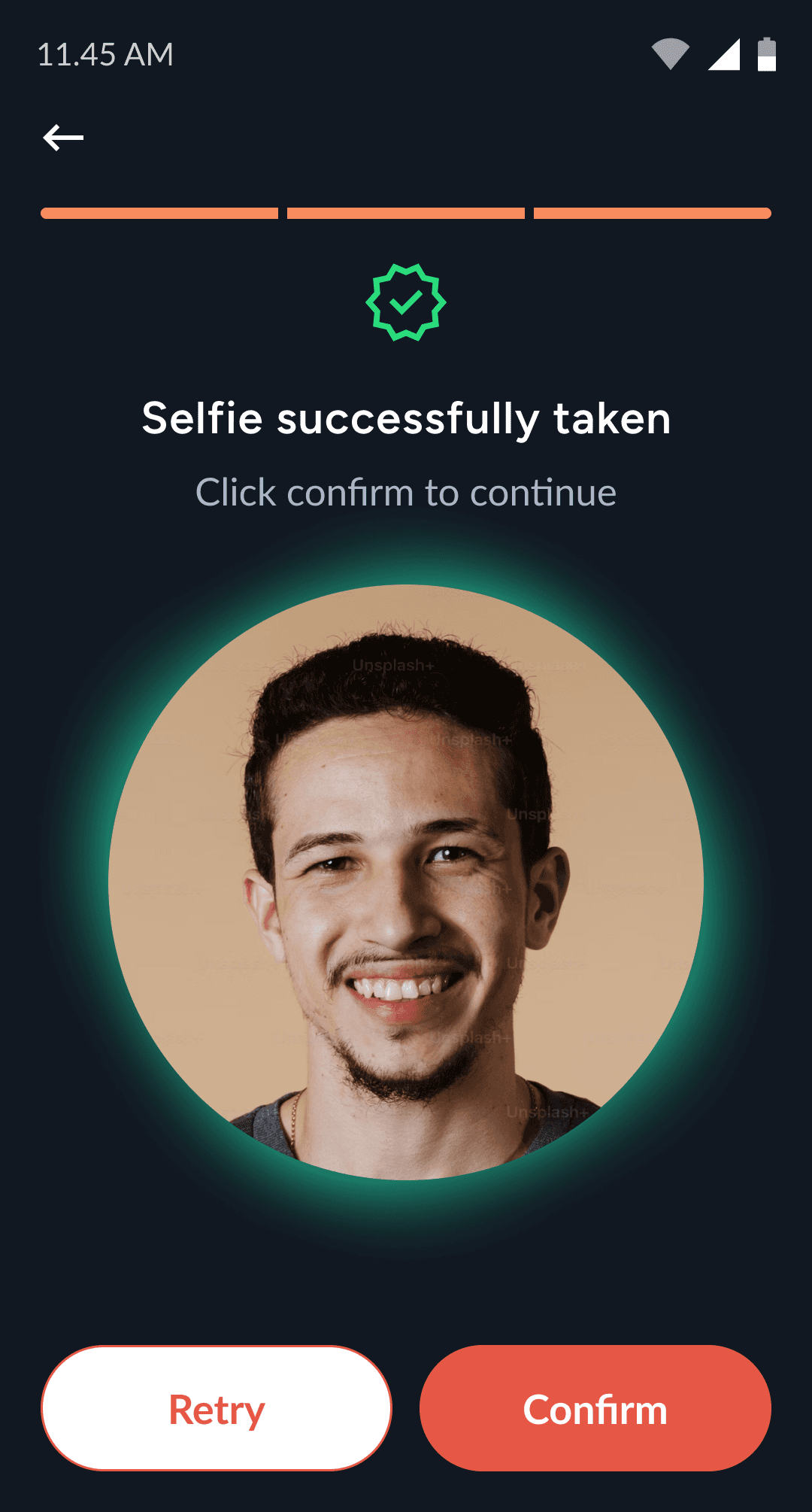
Registration & user onboarding
The registration flow complies with Bangladesh Bank standards, requiring a live selfie, National ID, and address verification. It’s designed for ease of use and secure information submission.
2
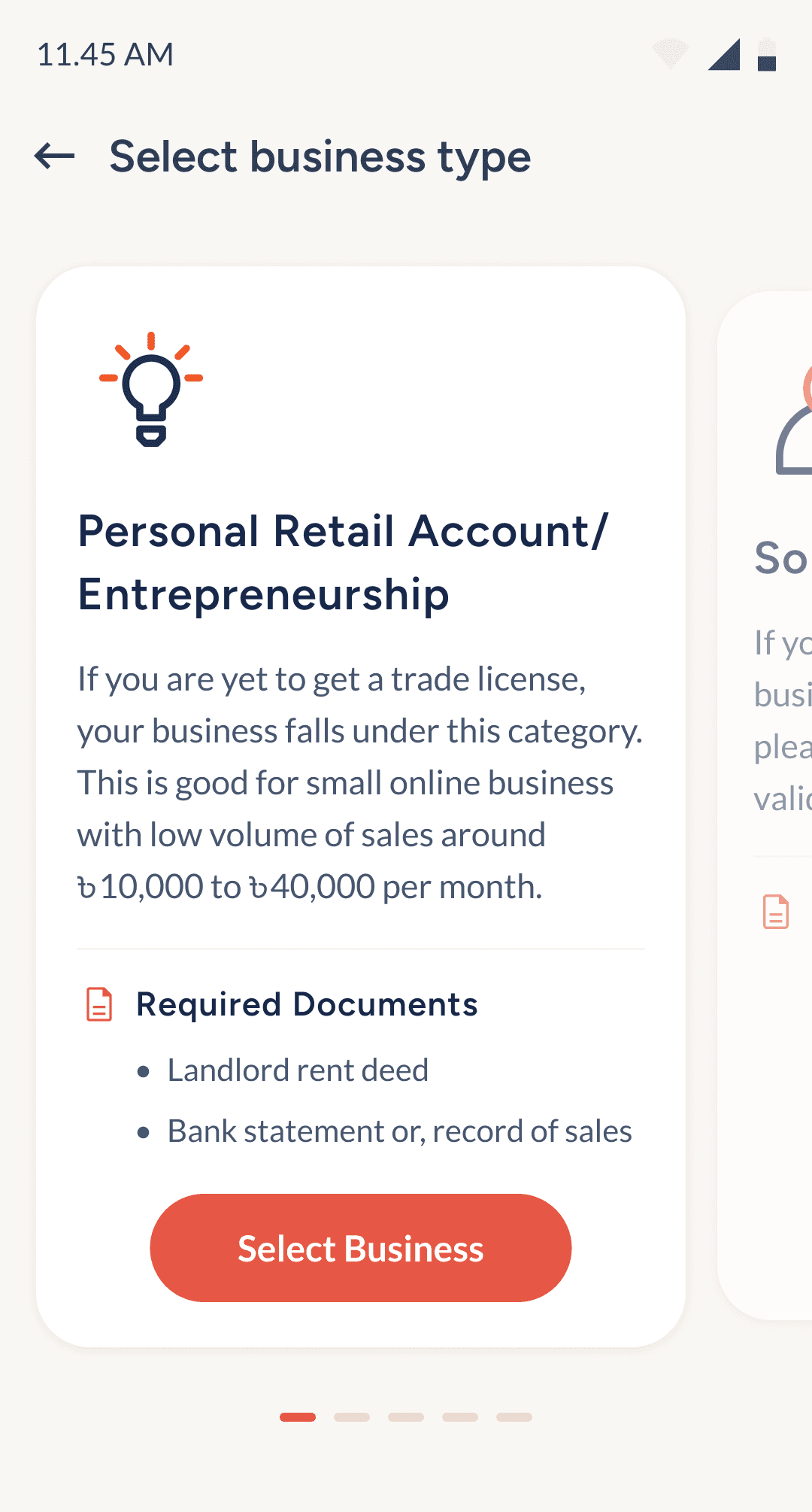
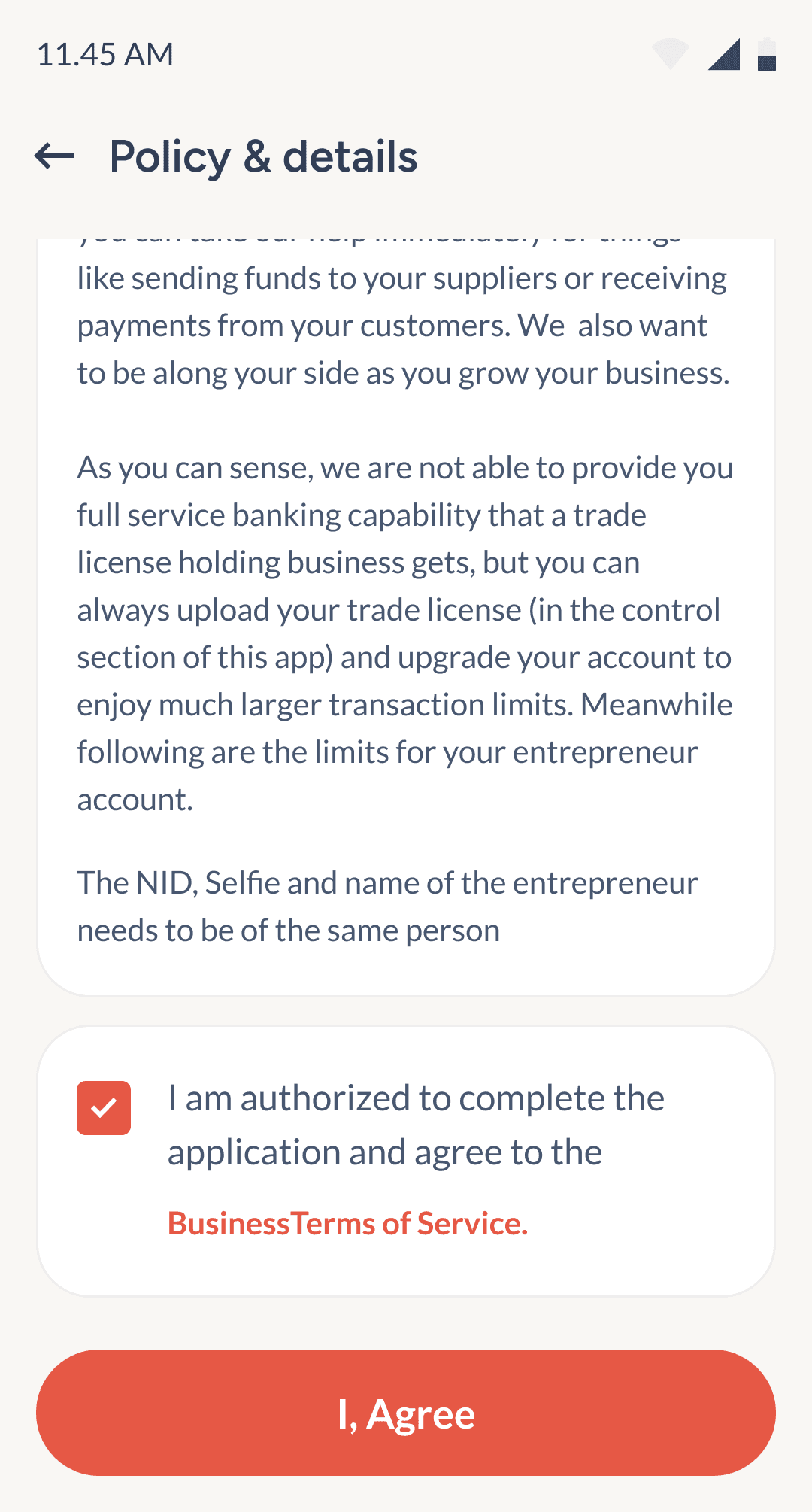
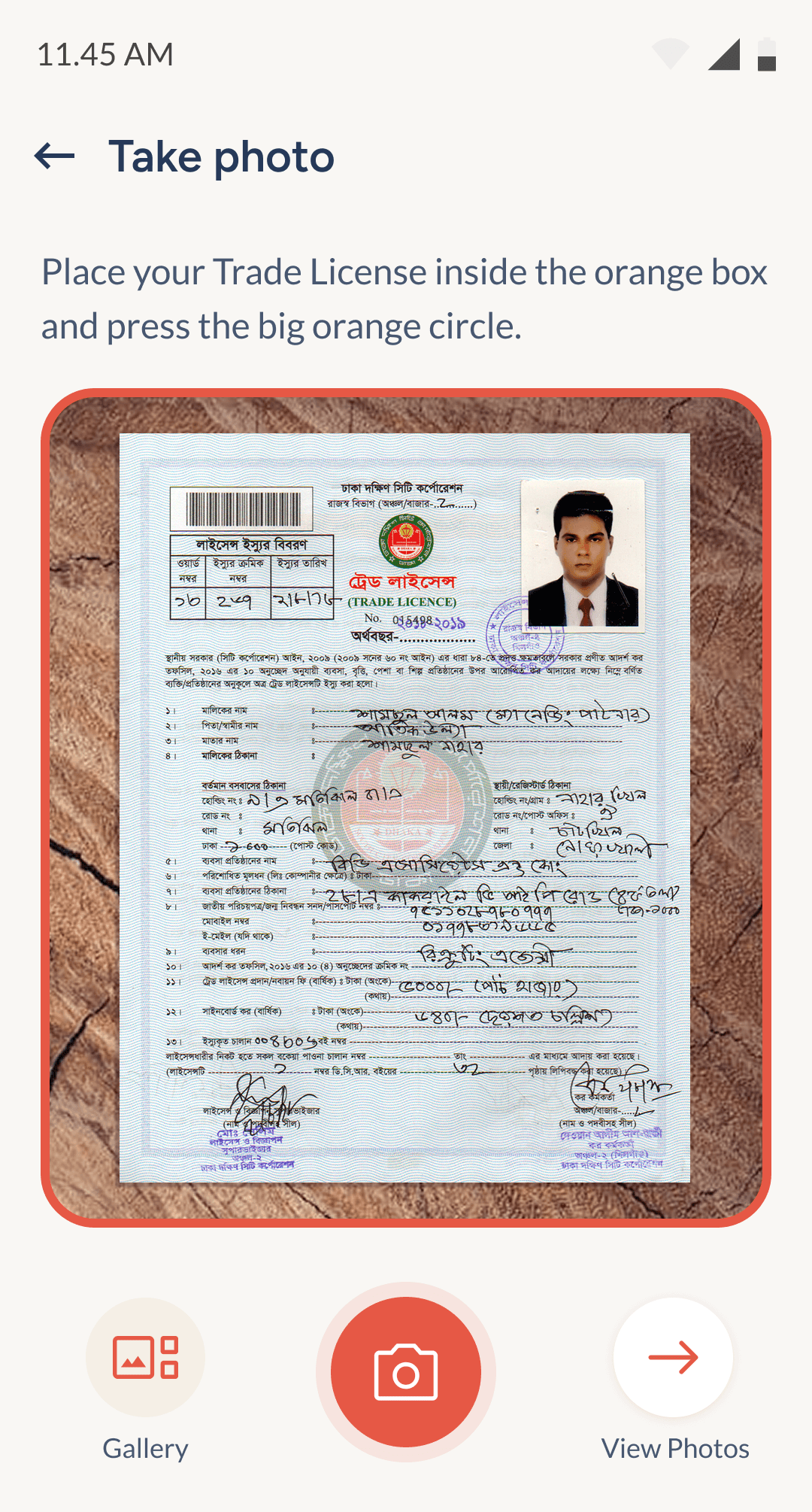
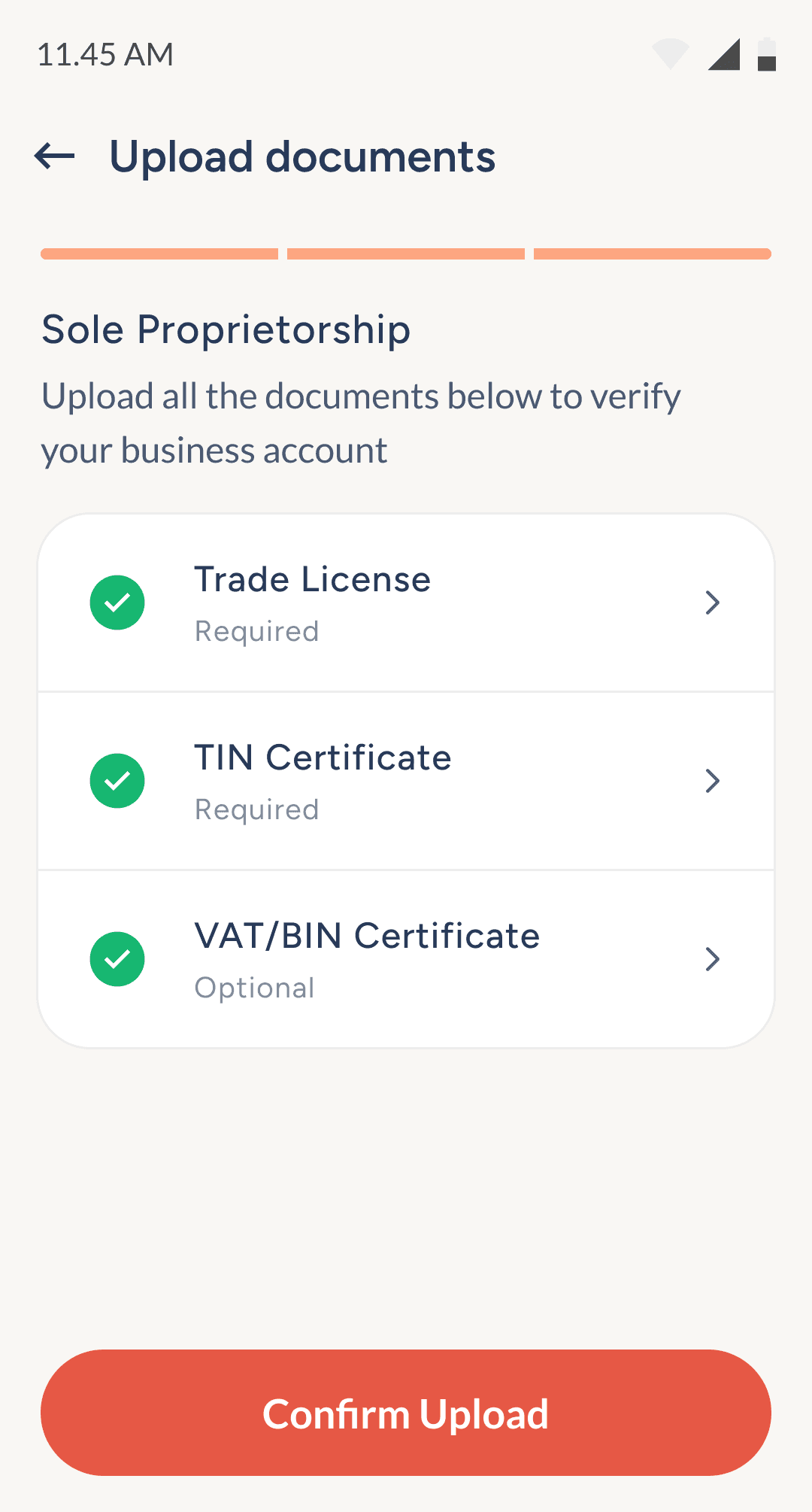
Registering for different businesses
This section showcases the flow for registering business types like sole proprietorships, retail, or online shops. Document requirements adjust dynamically to ensure regulatory compliance.

3
Dashboard
The dashboard acts as the control center for navigating the app and monitoring daily activity. With a high number of features, maintaining a clear visual hierarchy was essential.
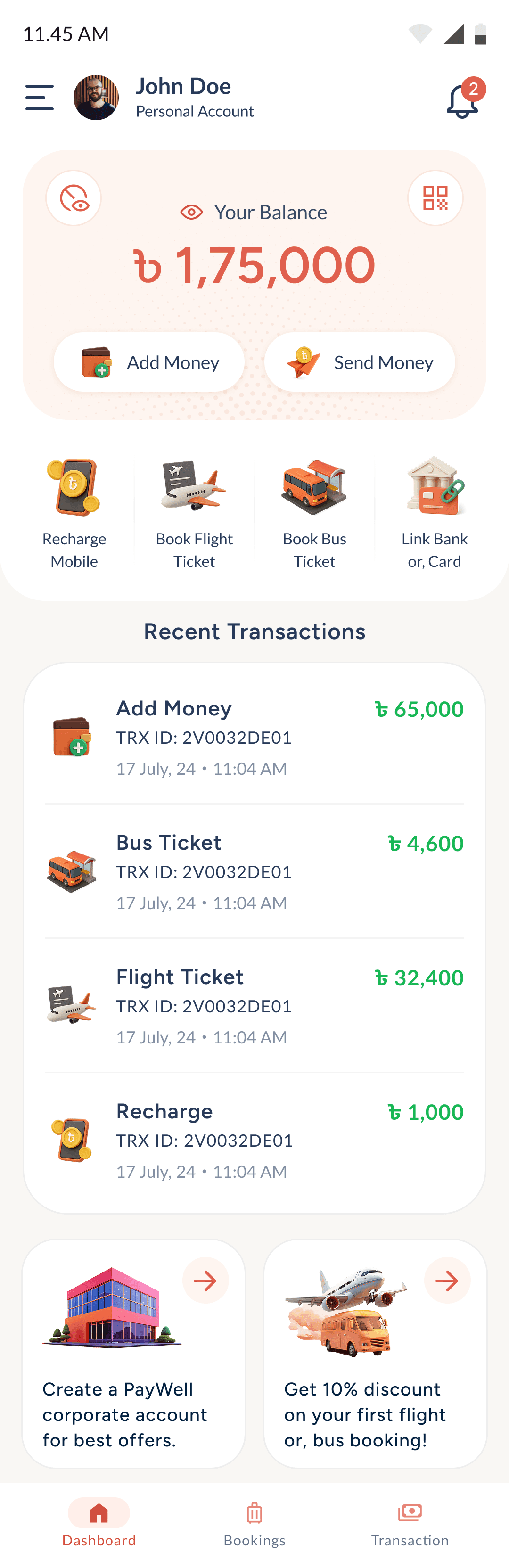
Top navigation
Displays current account type (personal or business).
Useful for users managing multiple account profiles.
Keeps context clear at all times.
Balance section
Groups QR, Hide, Send, and Add Money together.
Placed prominently due to high usage frequency.
Clustered based on wallet action and & data.
Service menus
3D icons created with AI and refined in Photoshop.
Replaces flat, vague icons used in competitor apps.
Icons are designed to imply outcomes, not just categories.
Encourages action by visually guiding the user.
Recent transactions
Shows the latest activity for quick reference.
Helps users track spending and usage habits.
A frequently requested feature based on past feedback.
Banner blocks
Displays timely actions or, promotions.
Designed for dynamic offers and seasonal promotions.
Can be updated easily by the brand team after launch.
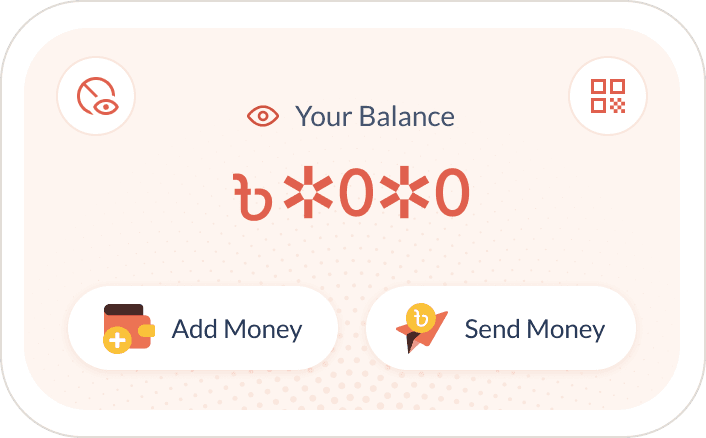
Balance privacy toggle
Masks balance with a symbols for subtlety.
Icon-only button keeps the action discreet.
4
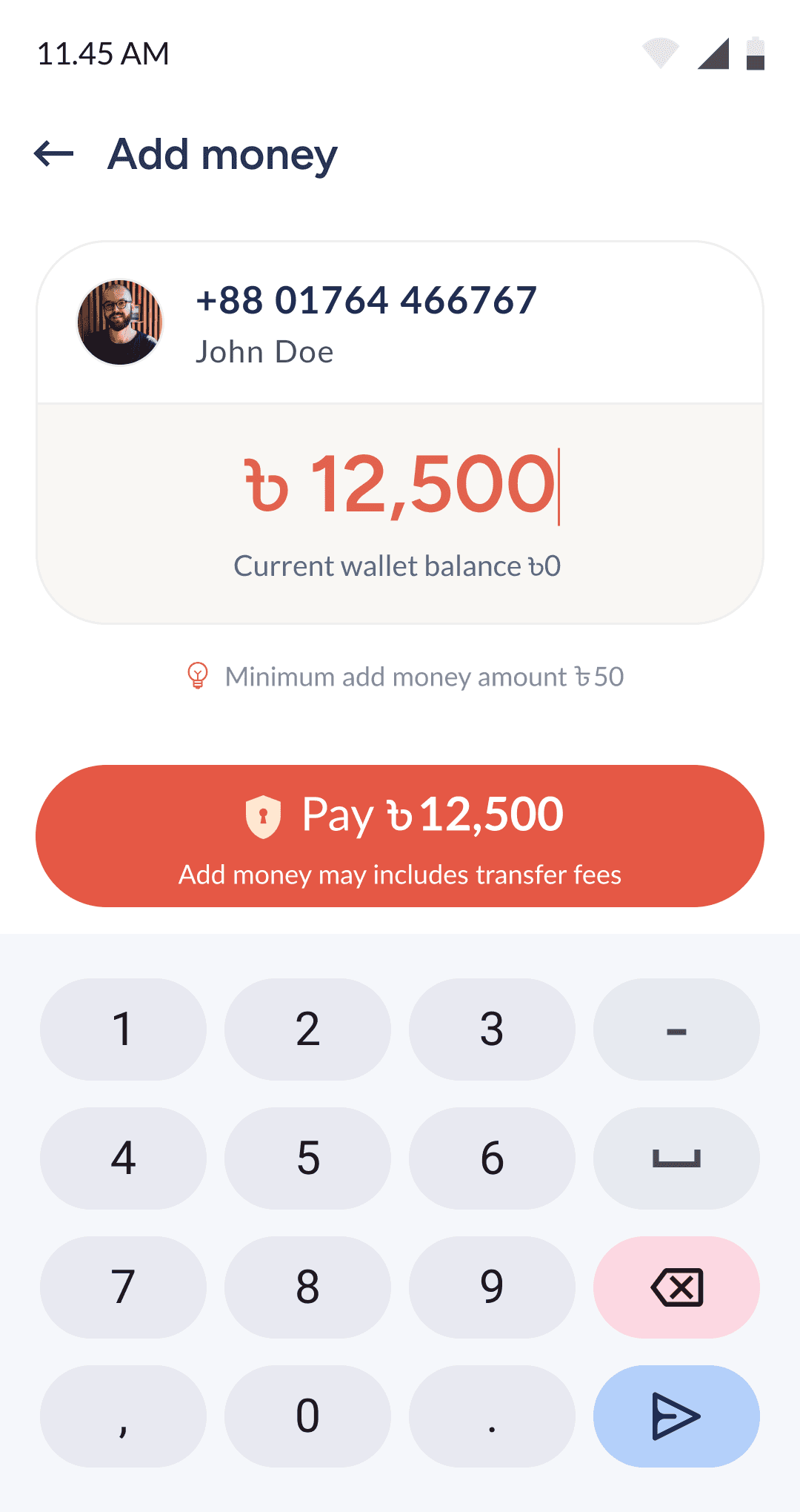
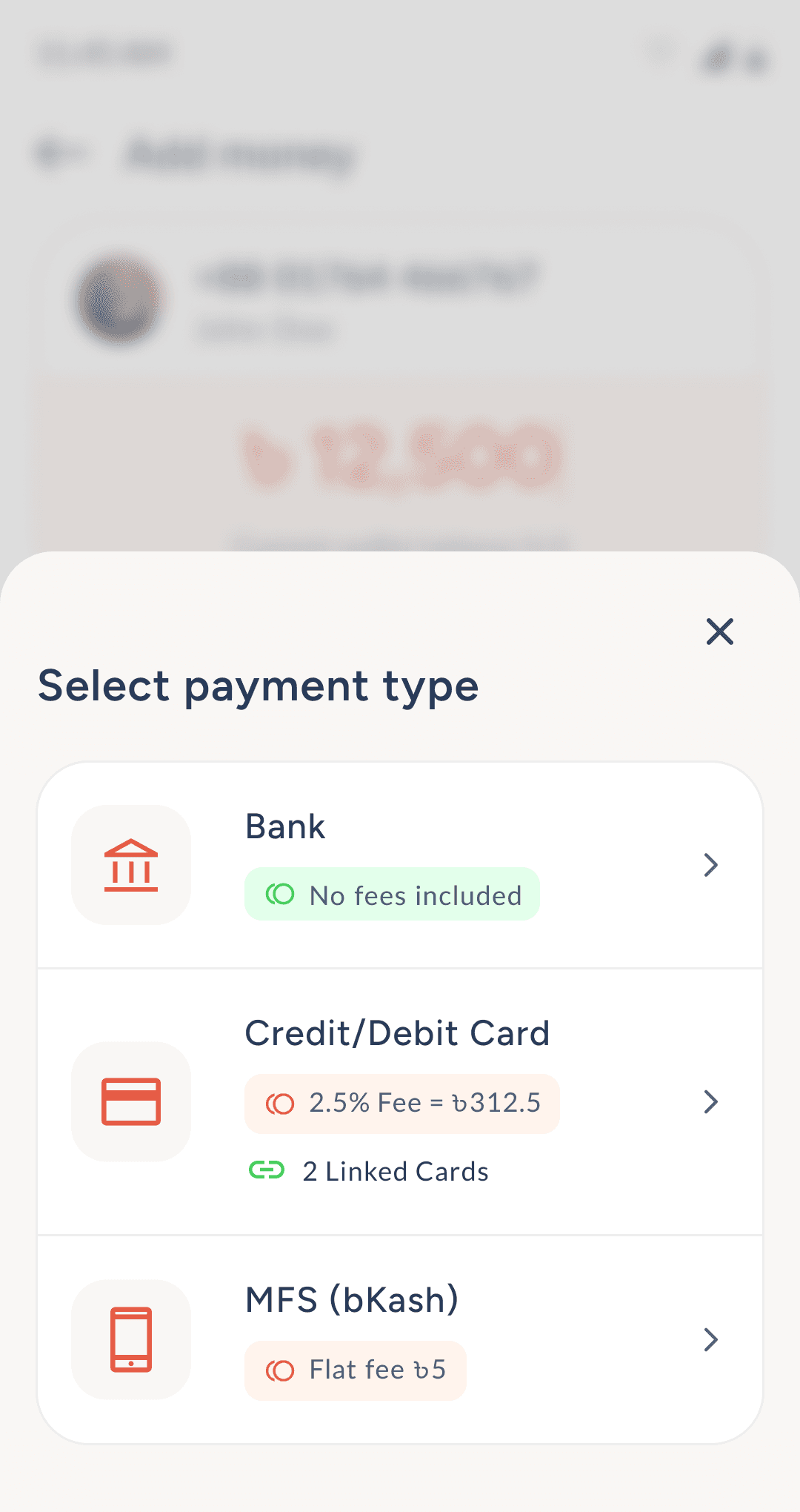
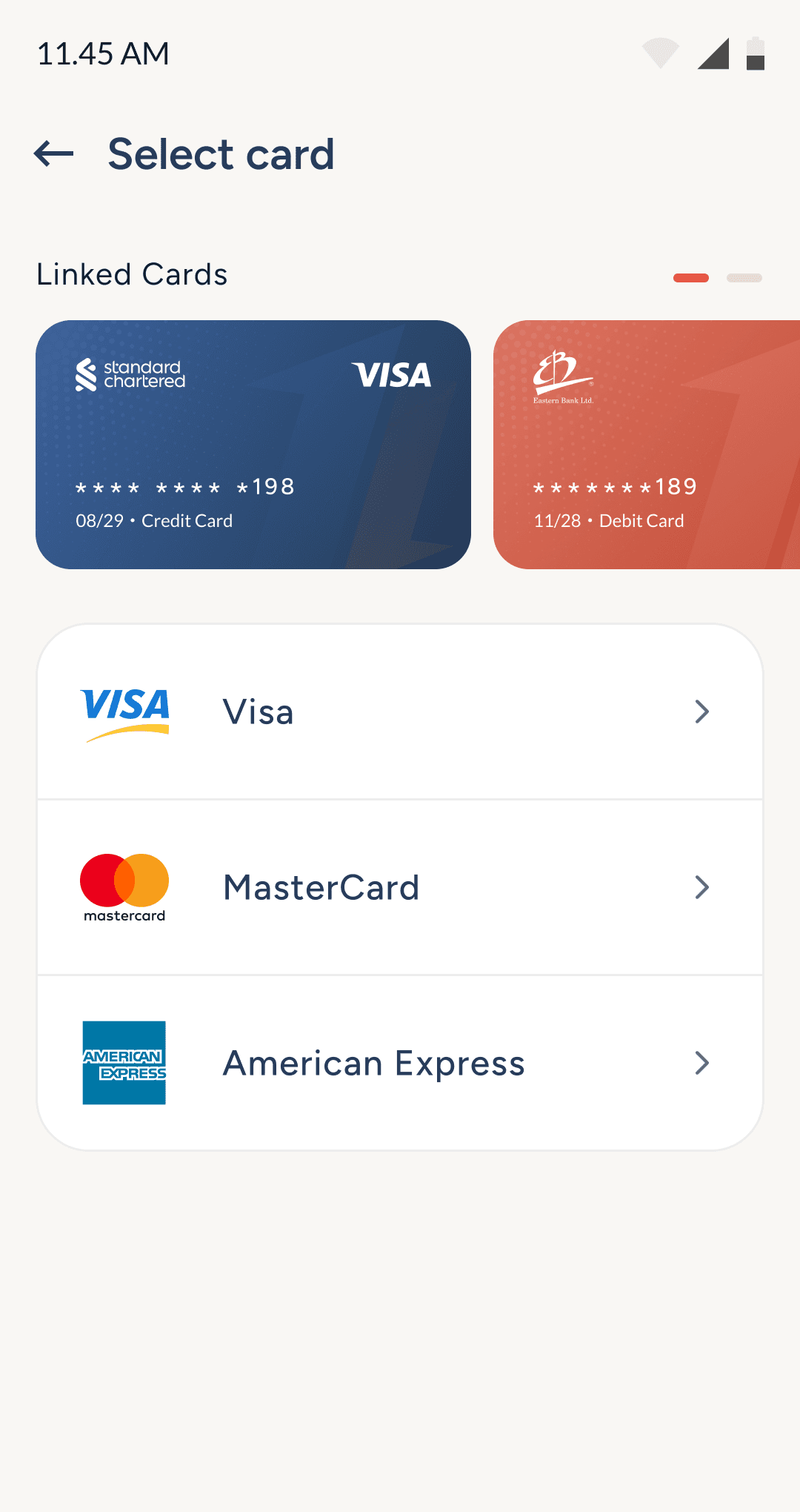
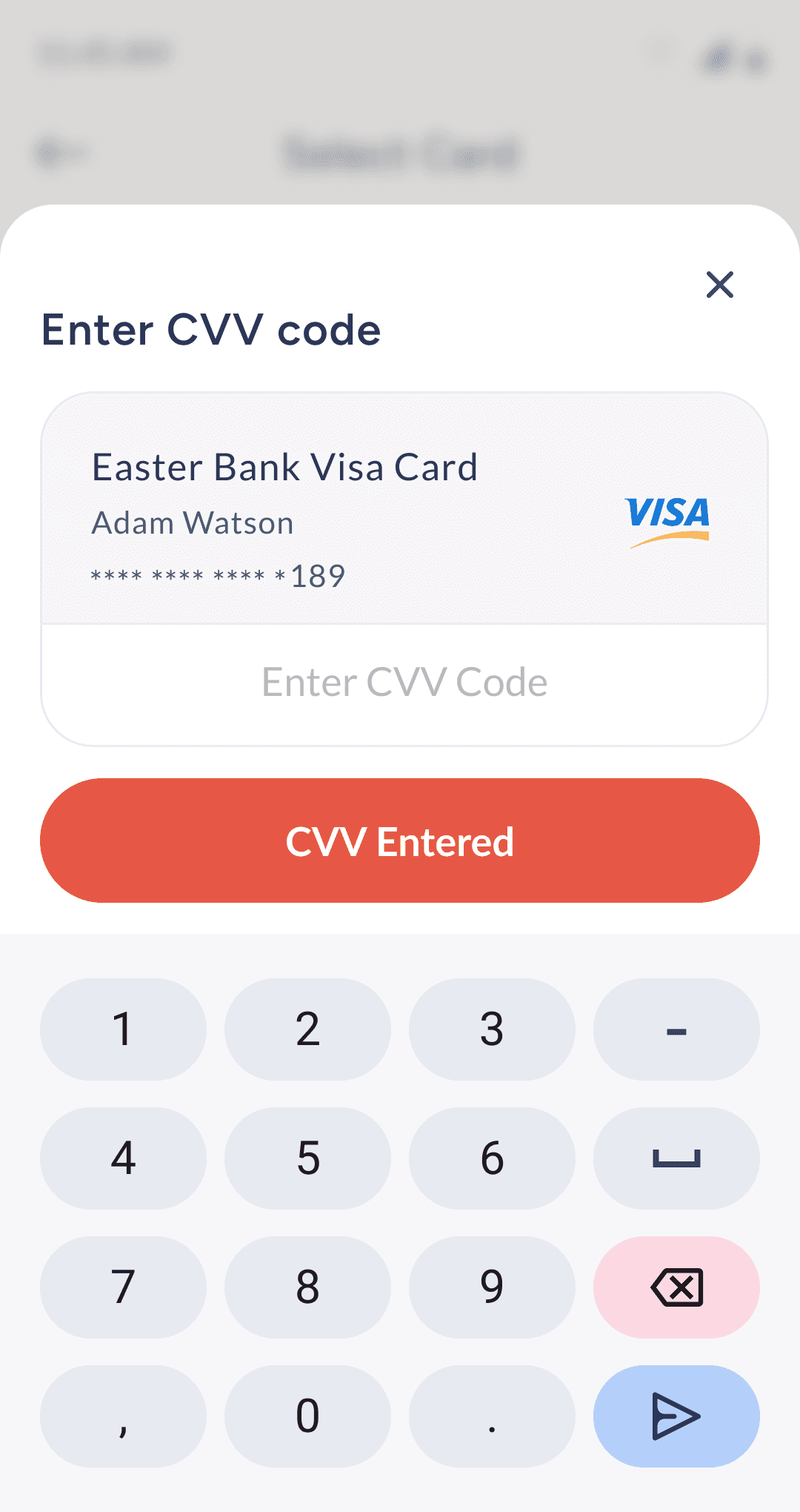
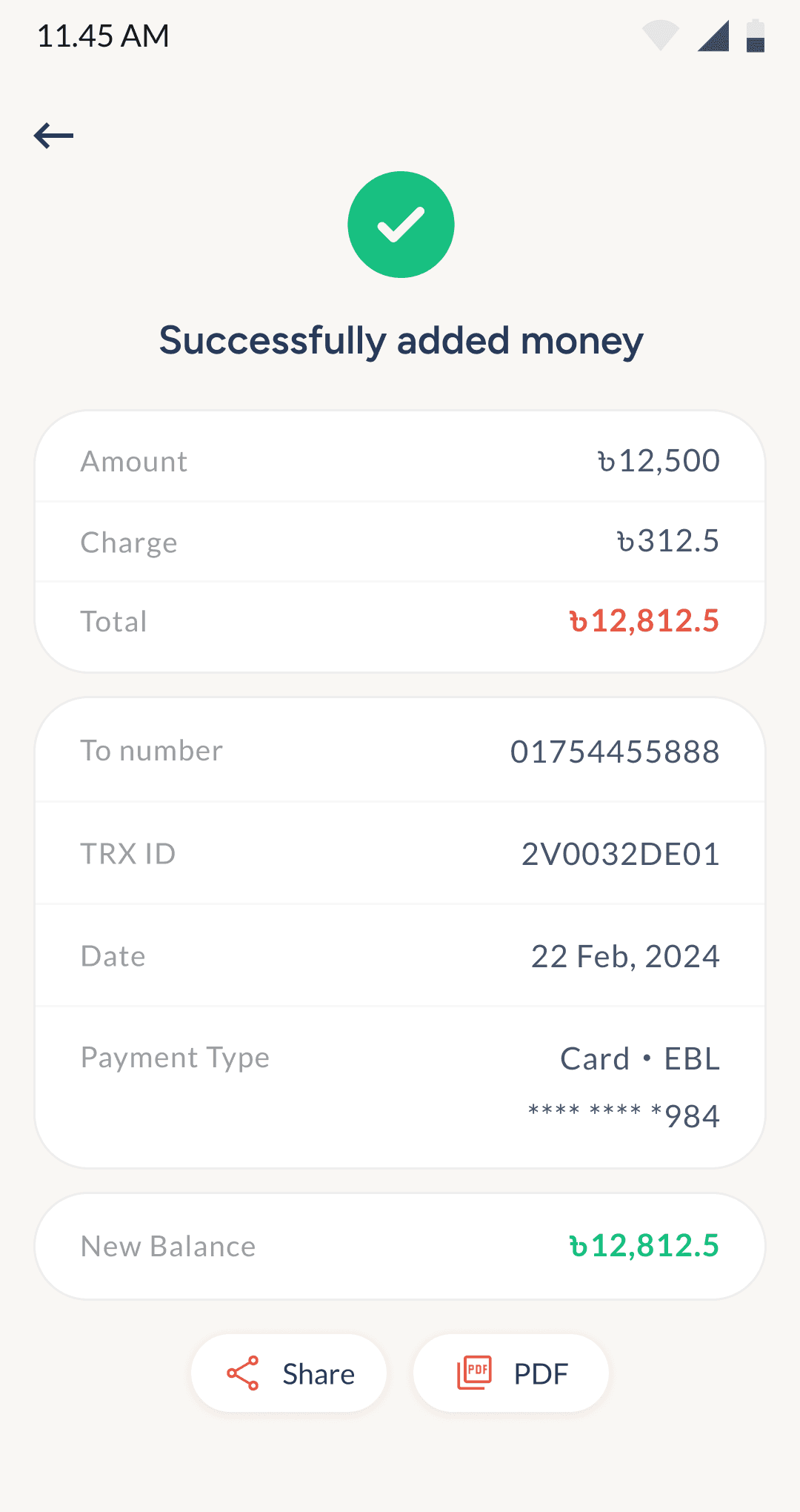
Add Money to PayWell corporate account
This simple flow lets users add money to their PayWell account using a bank, debit, or credit card. The added balance can be used for recharges, travel bookings, or service packages.
5
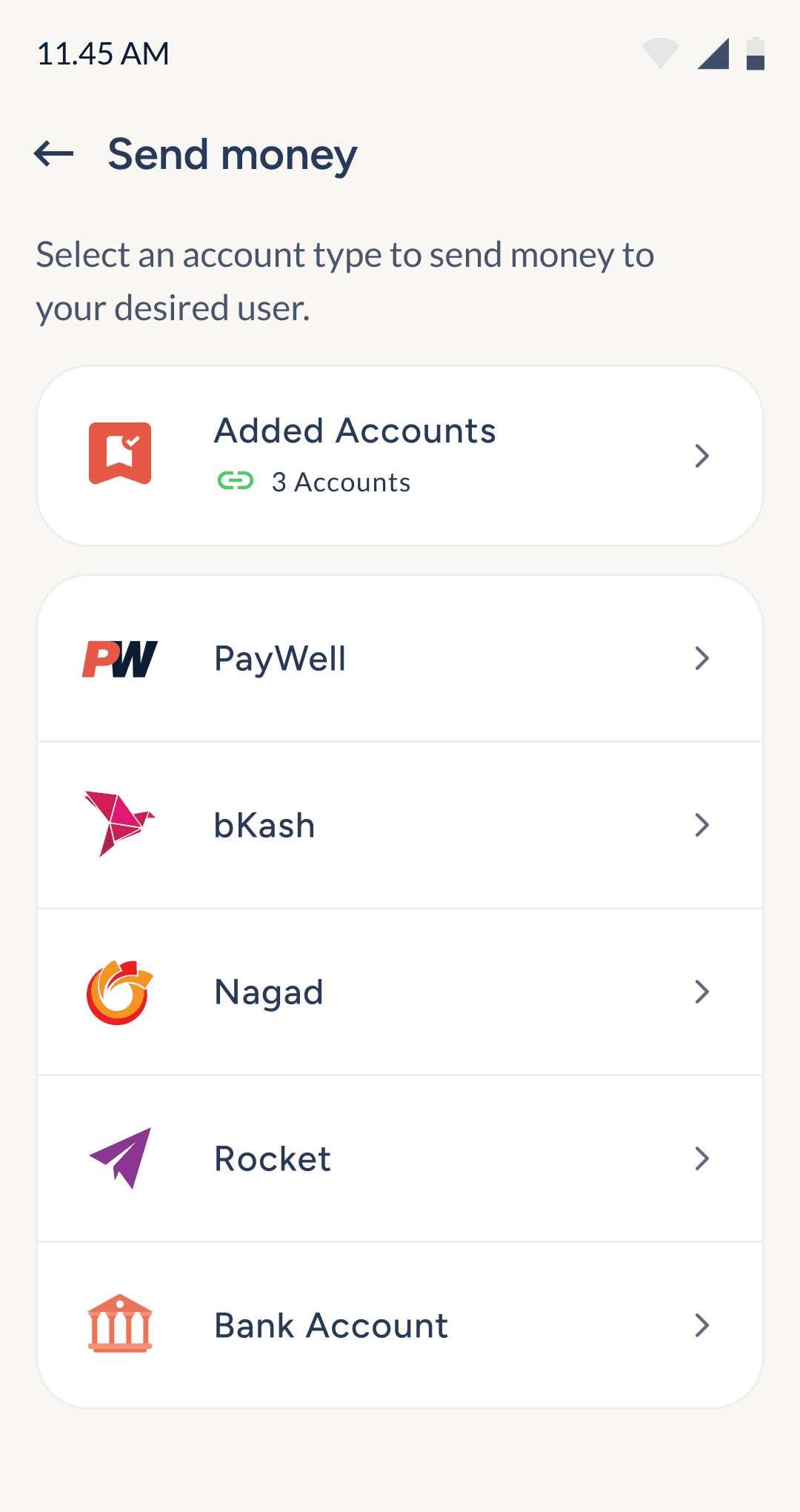
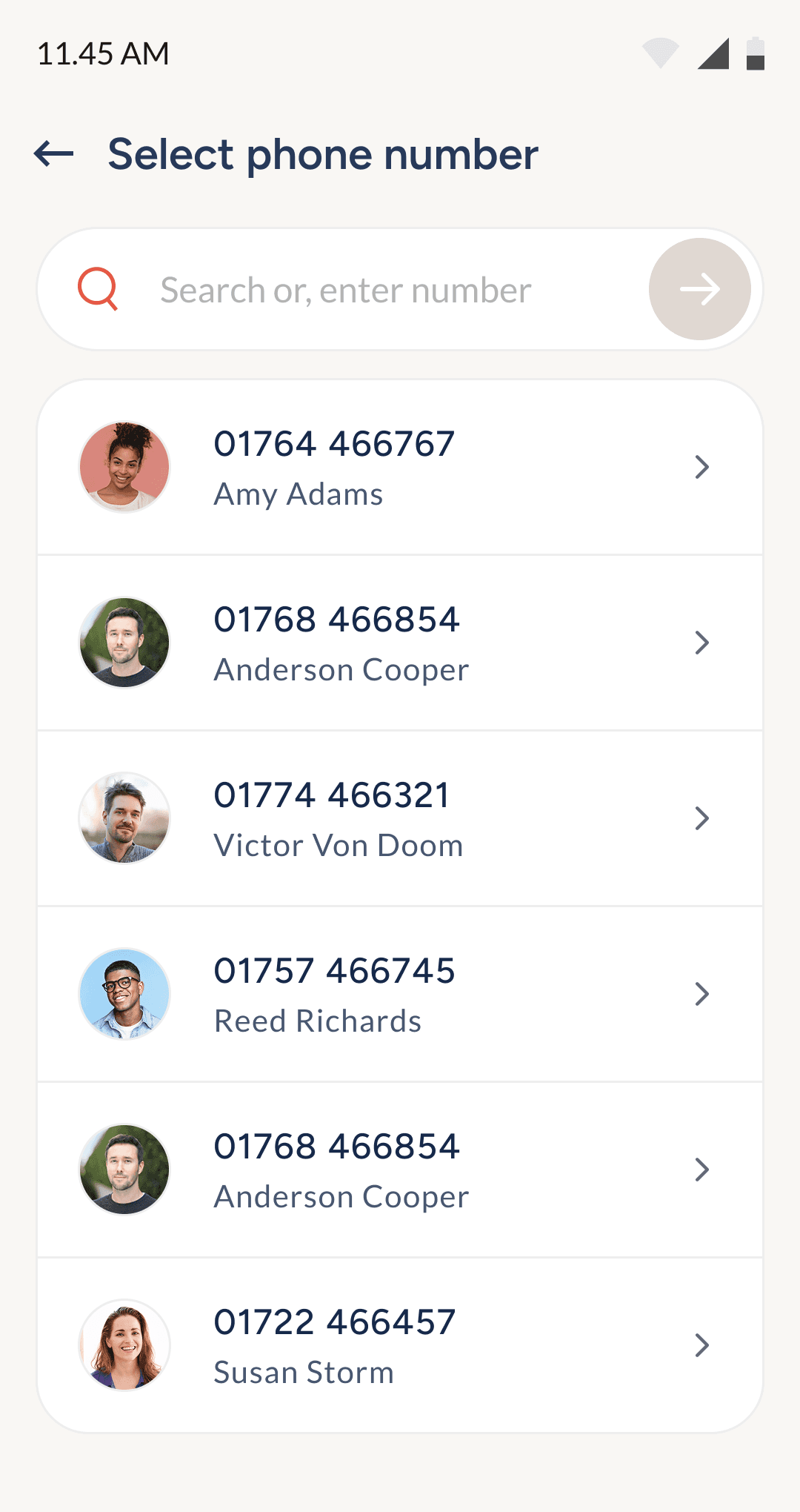
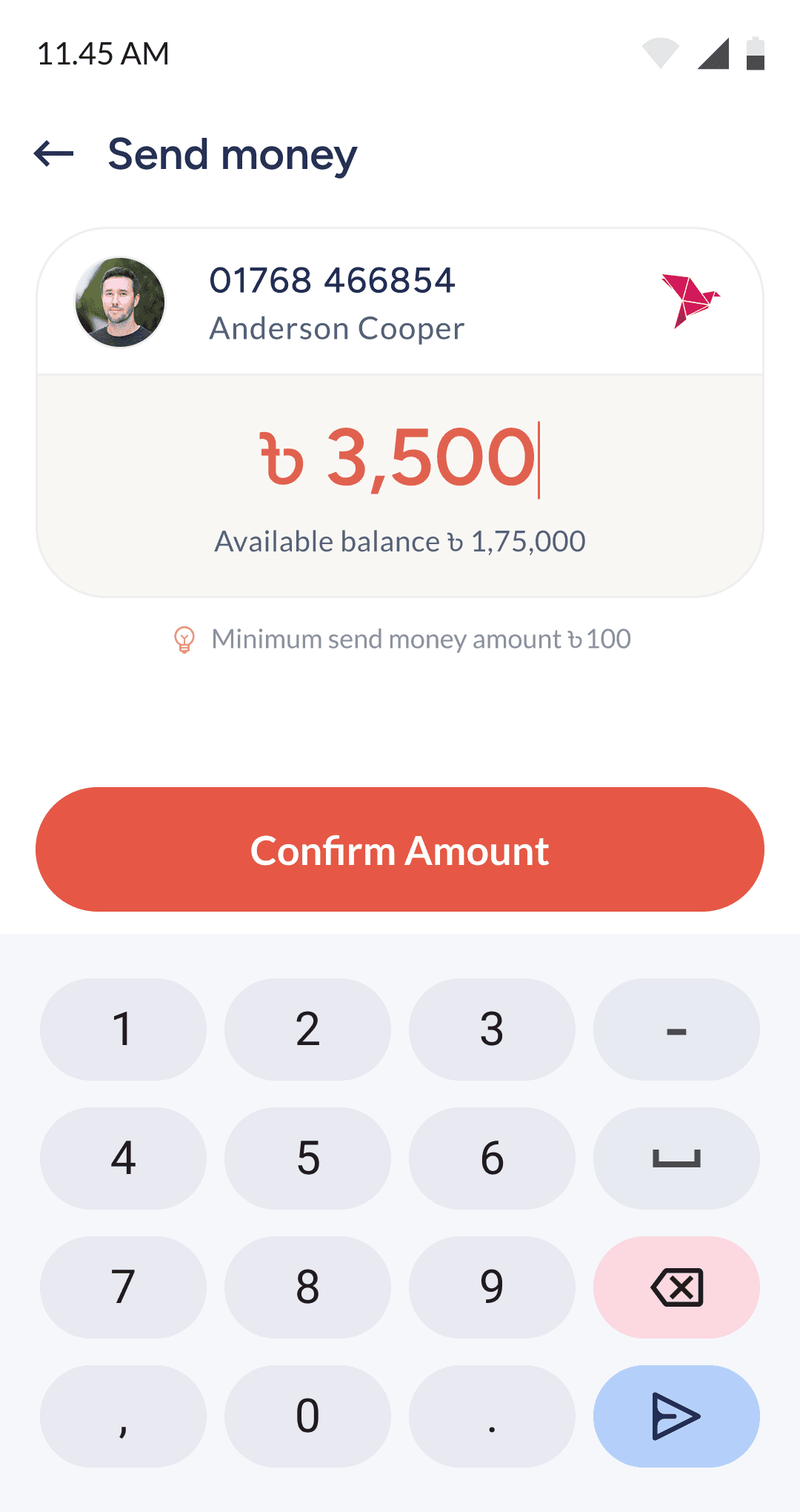
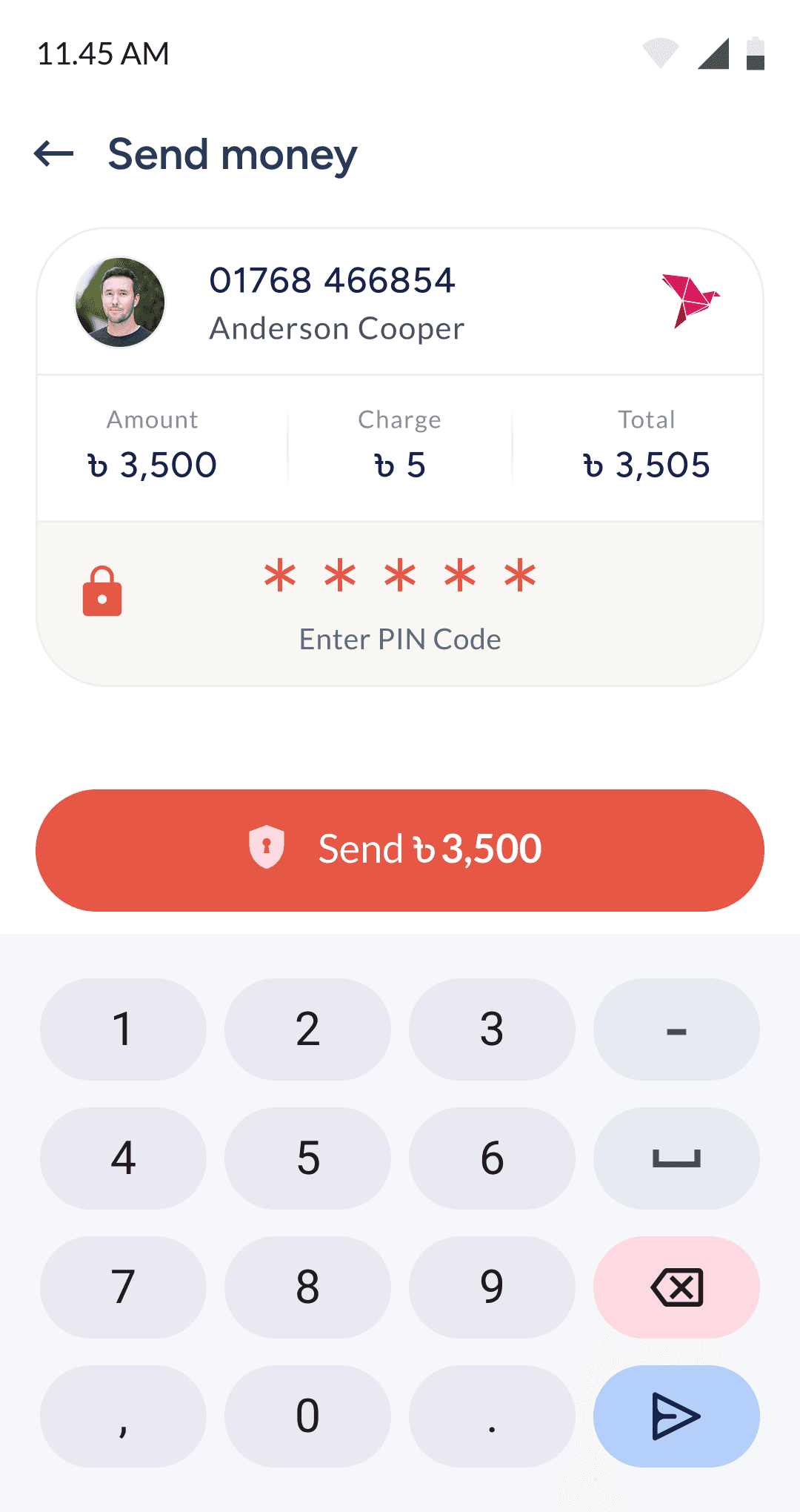
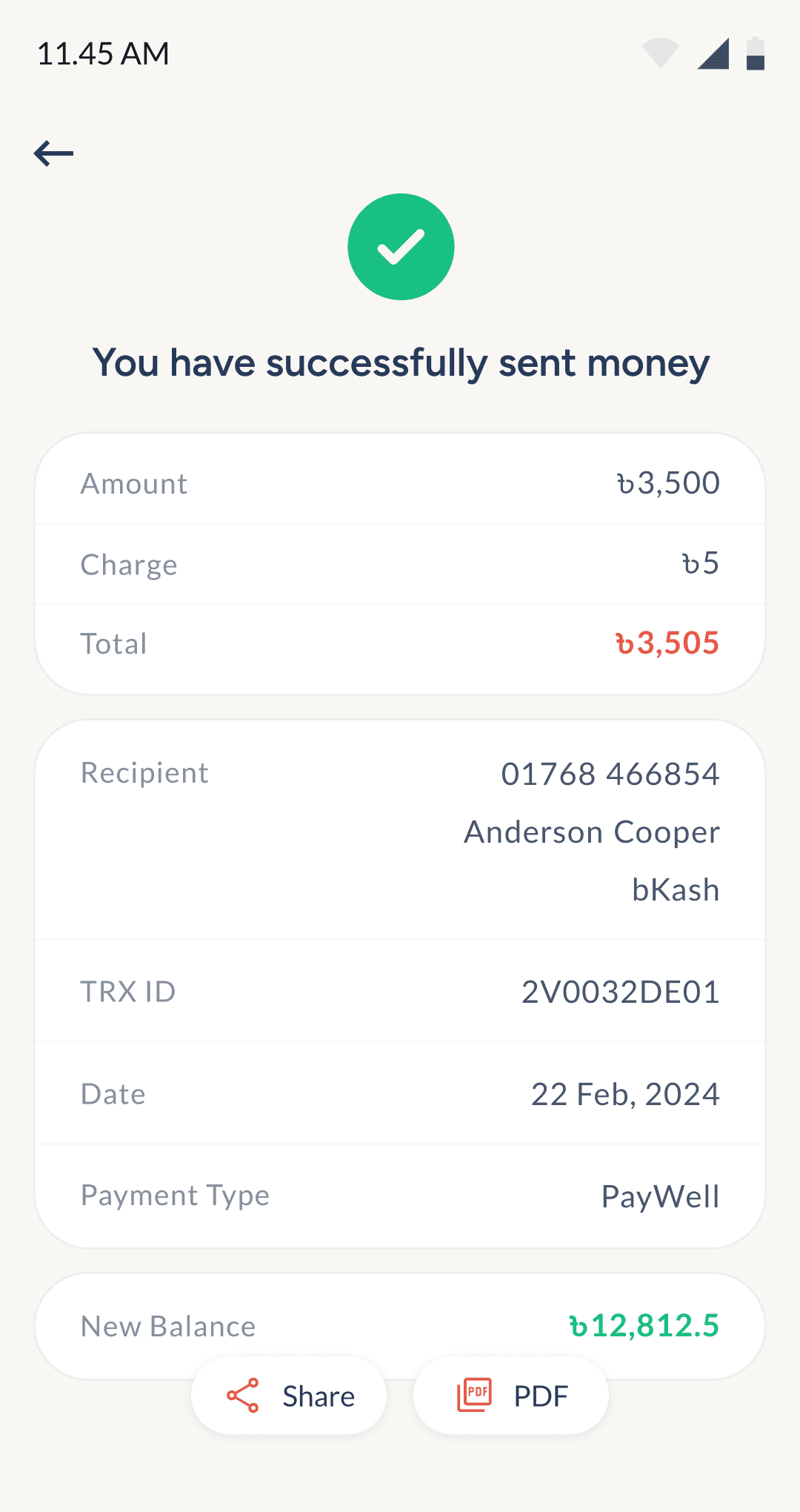
Send money to other MFS
or, bank account
Users can quickly transfer funds from their PayWell balance to any bank account or mobile wallet. The flow guides them to choose the wallet type, select a recipient, and complete the transfer with ease.
6
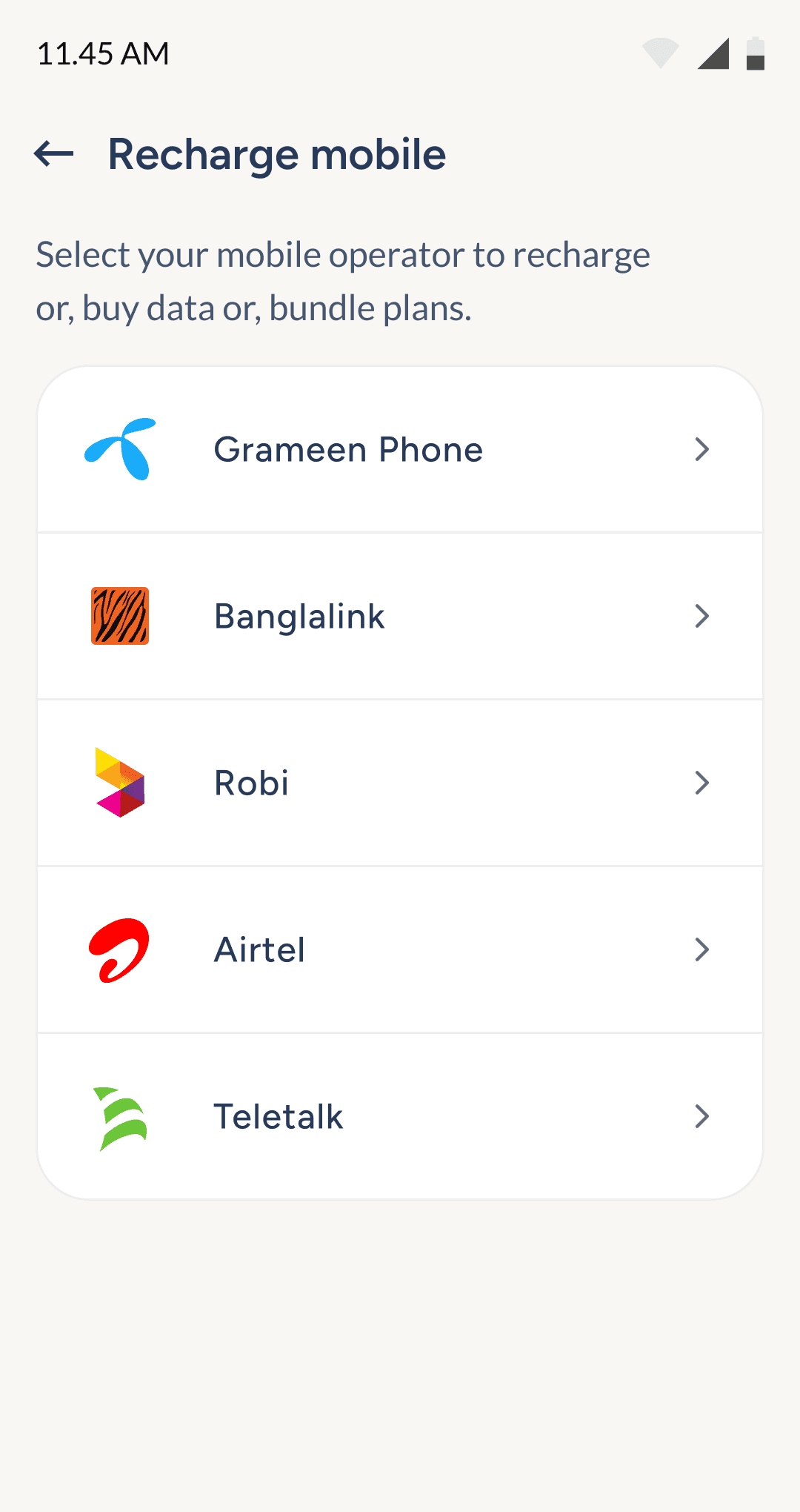
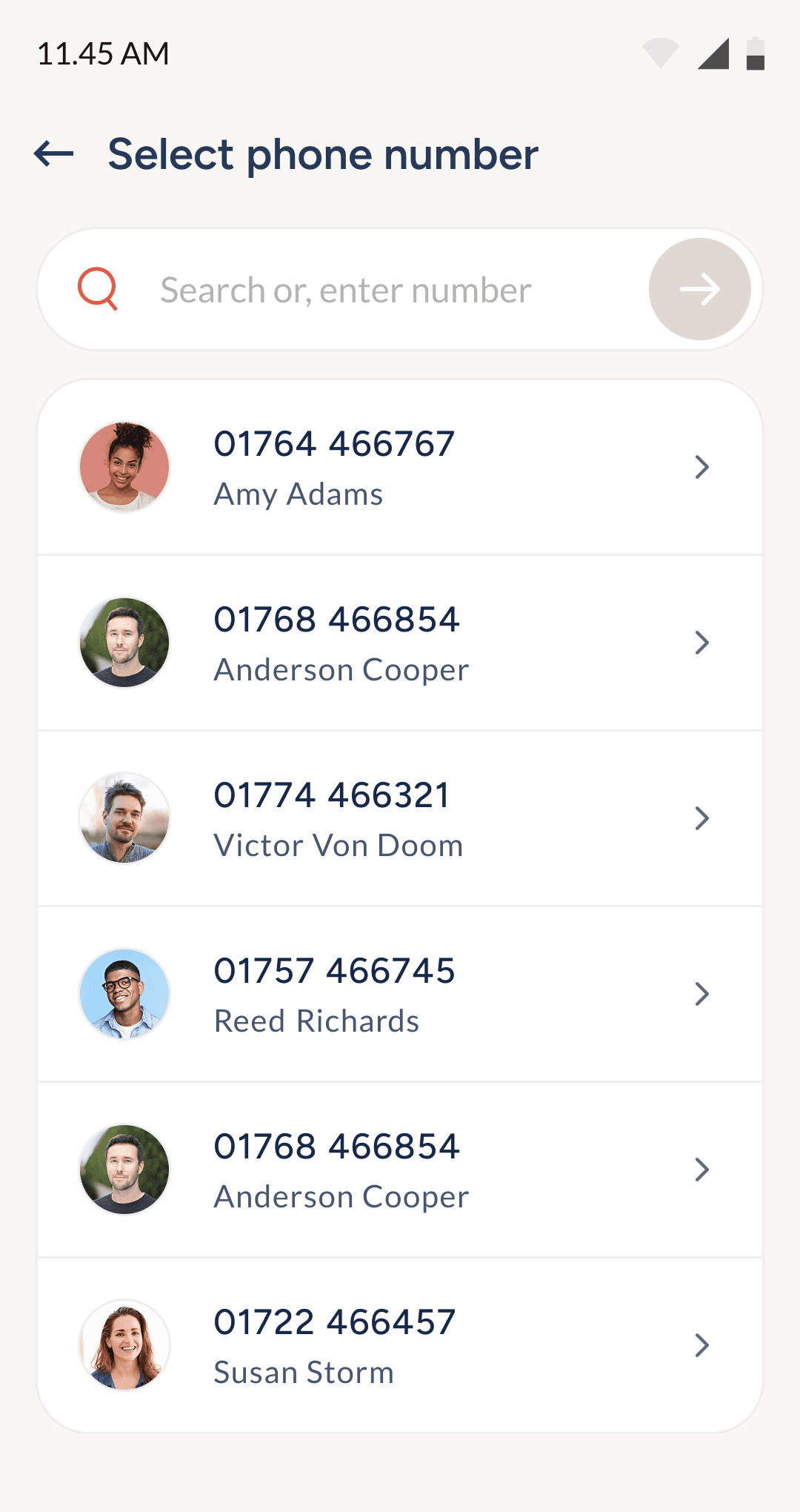
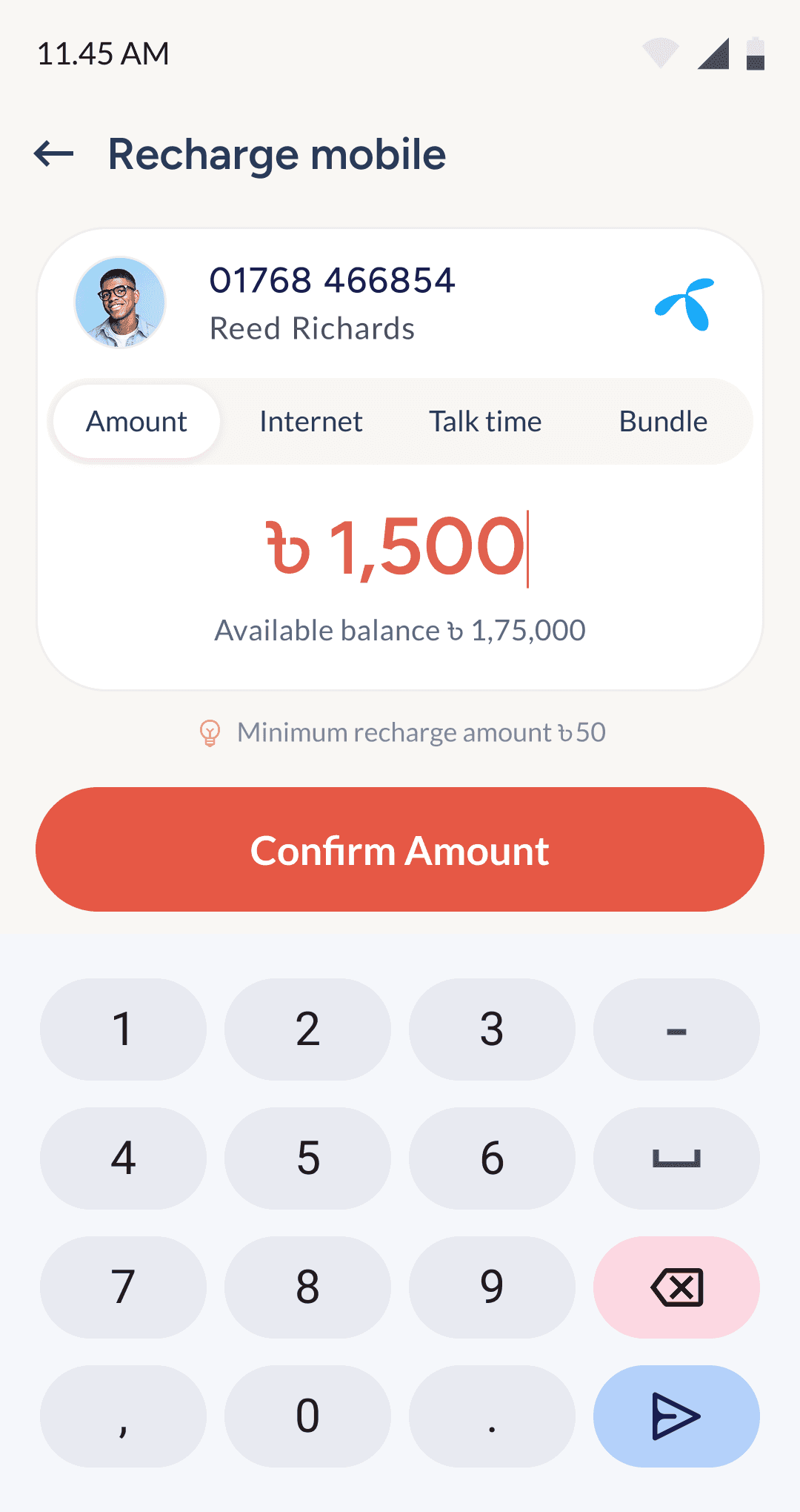
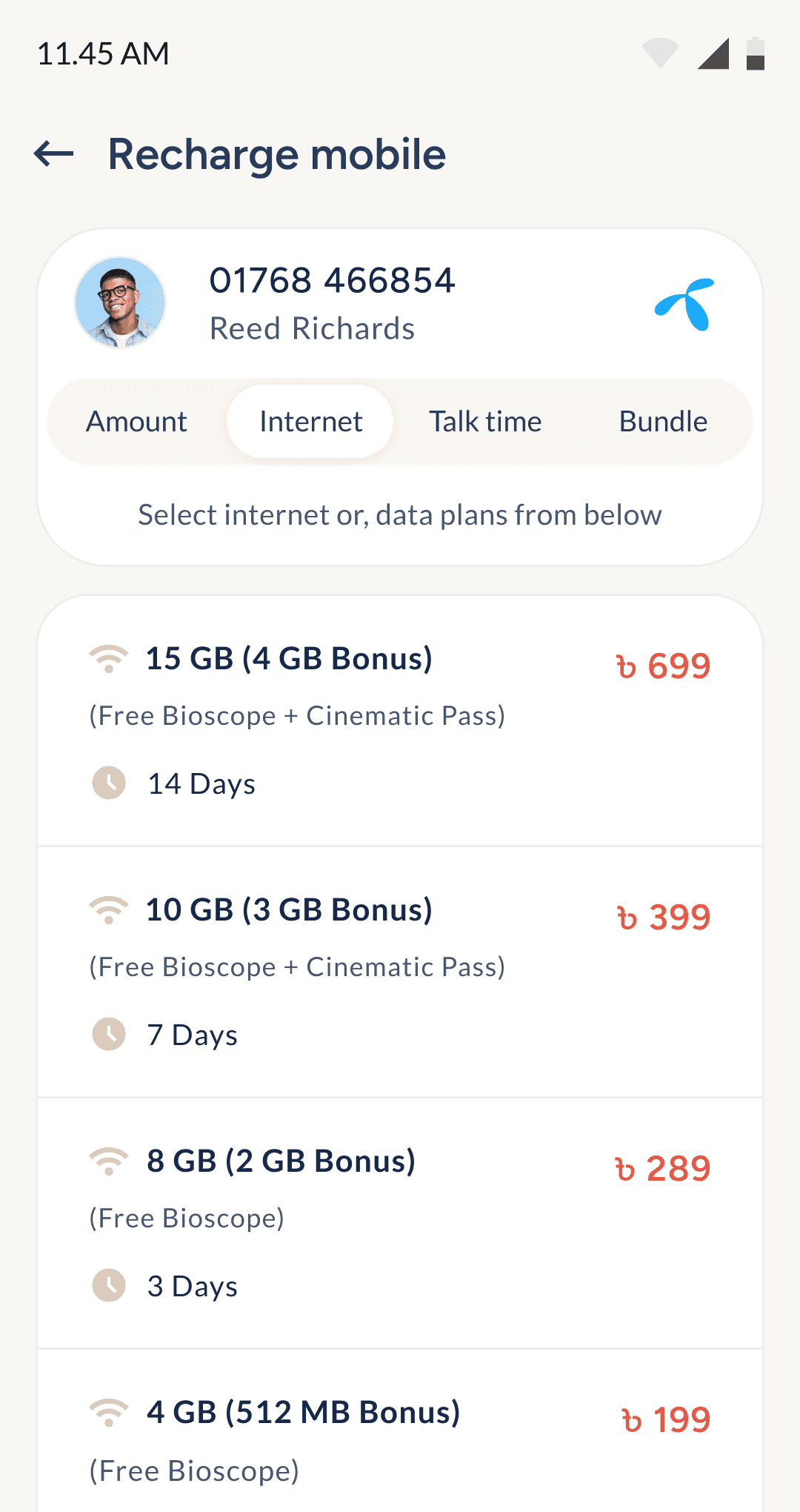
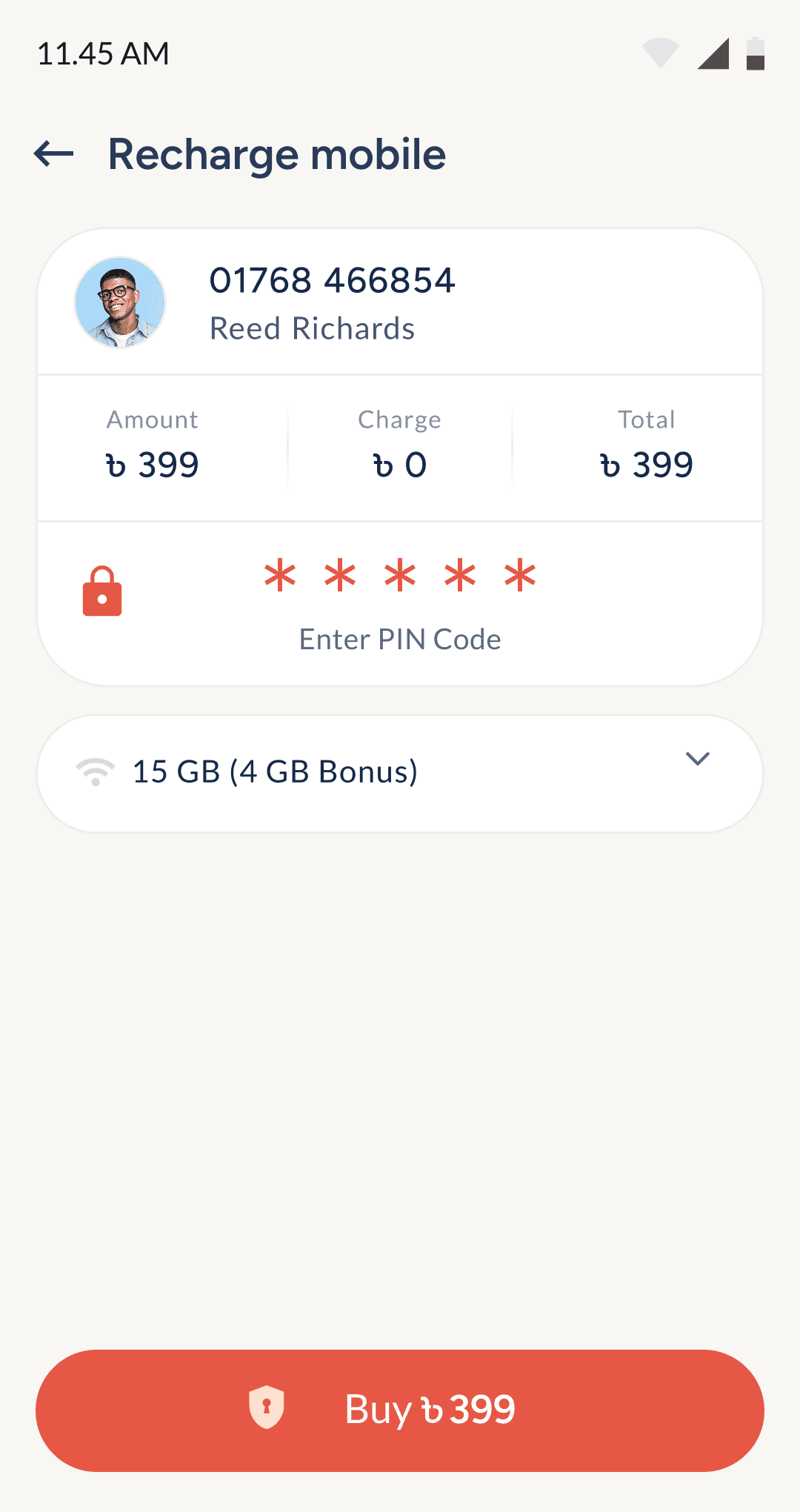
Recharge or, buy packages from mobile operators
Users can recharge any mobile number across all operators in Bangladesh, and purchase data or talk-time plans directly using their PayWell balance.
7
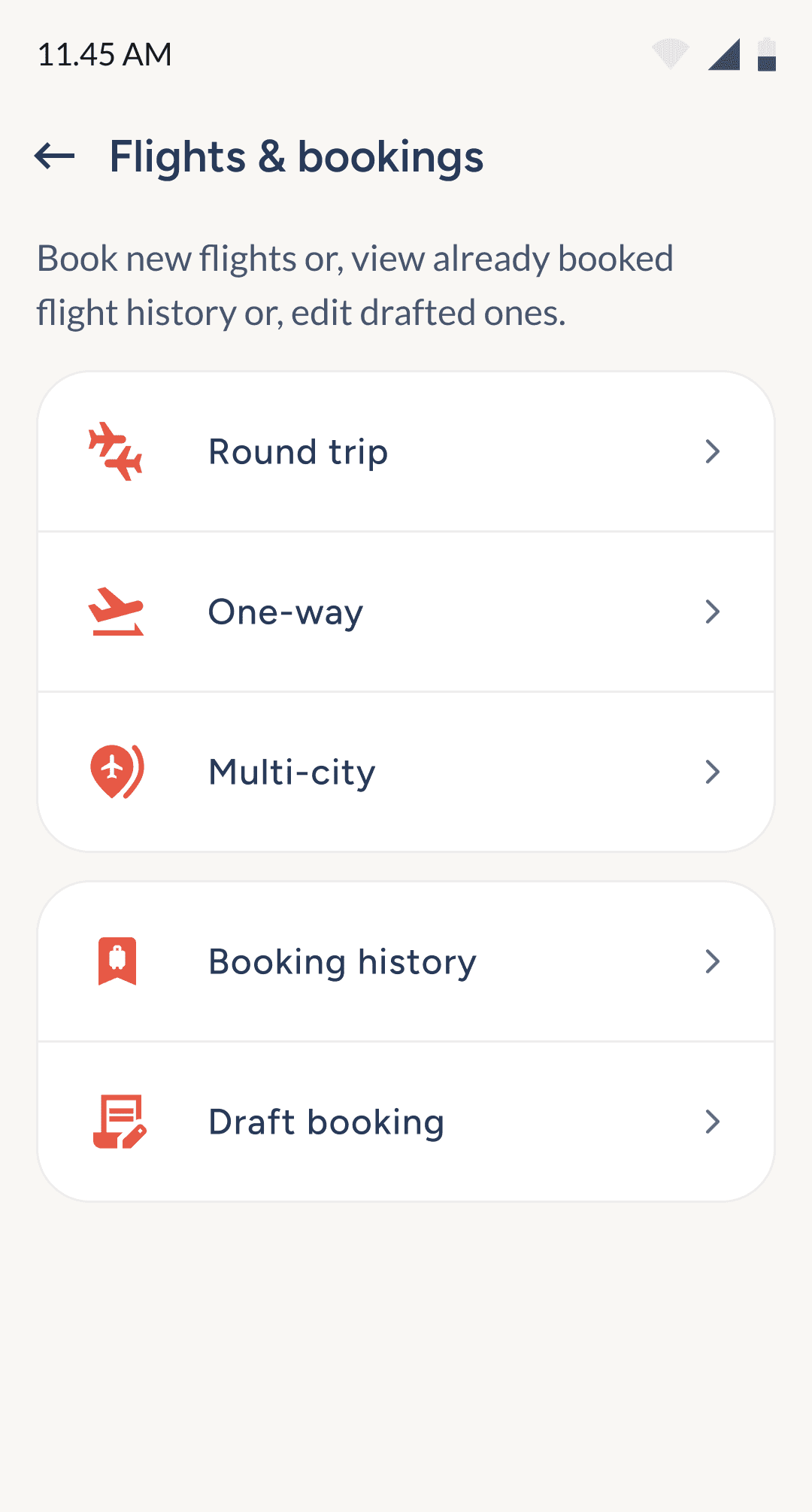
Flight tickets booking
& buying
Designed for clarit, only essential info is shown upfront, with extra details tucked behind accessible buttons. The flow was shaped by researching top competitor UIs to streamline the experience.
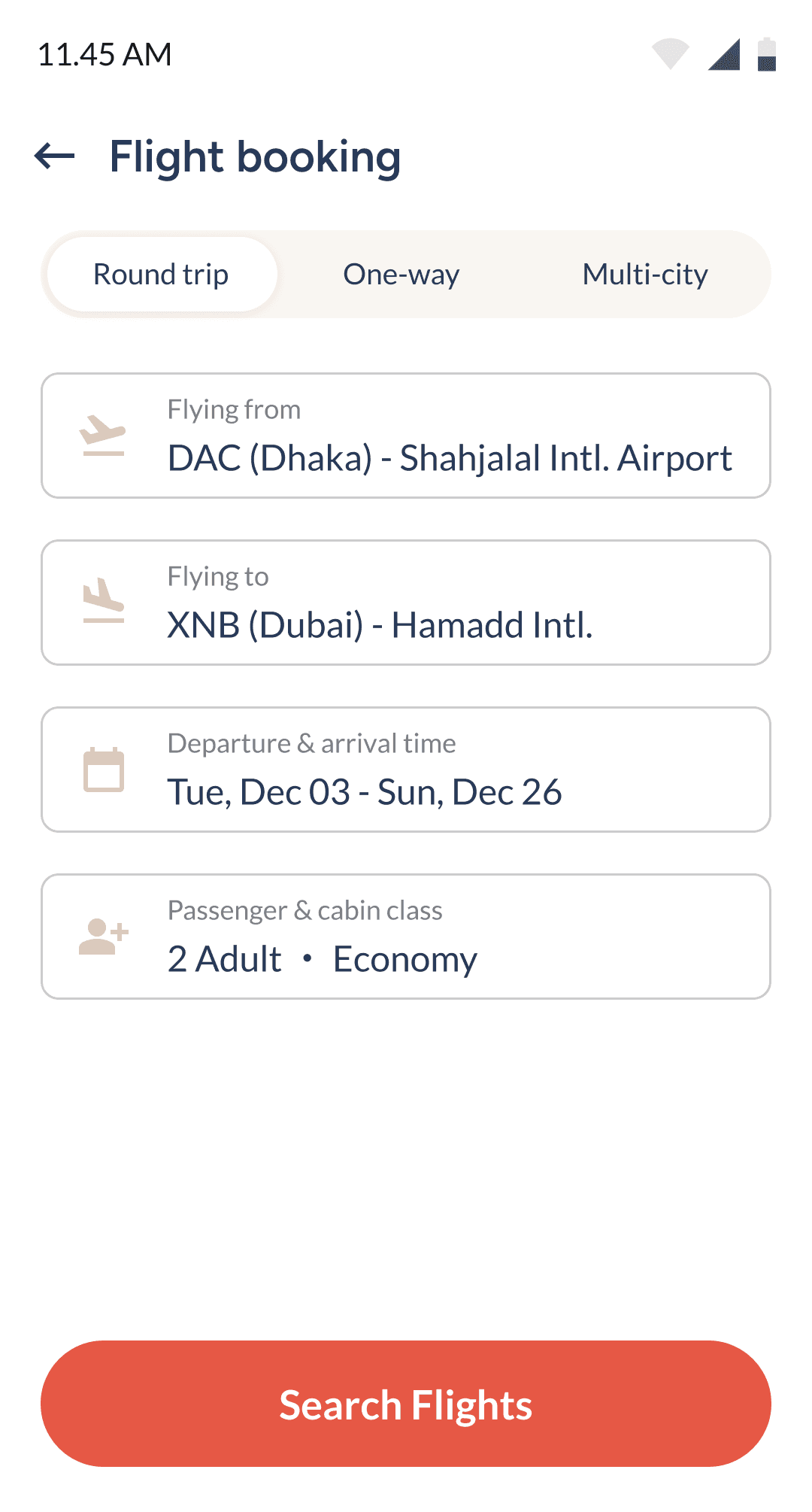
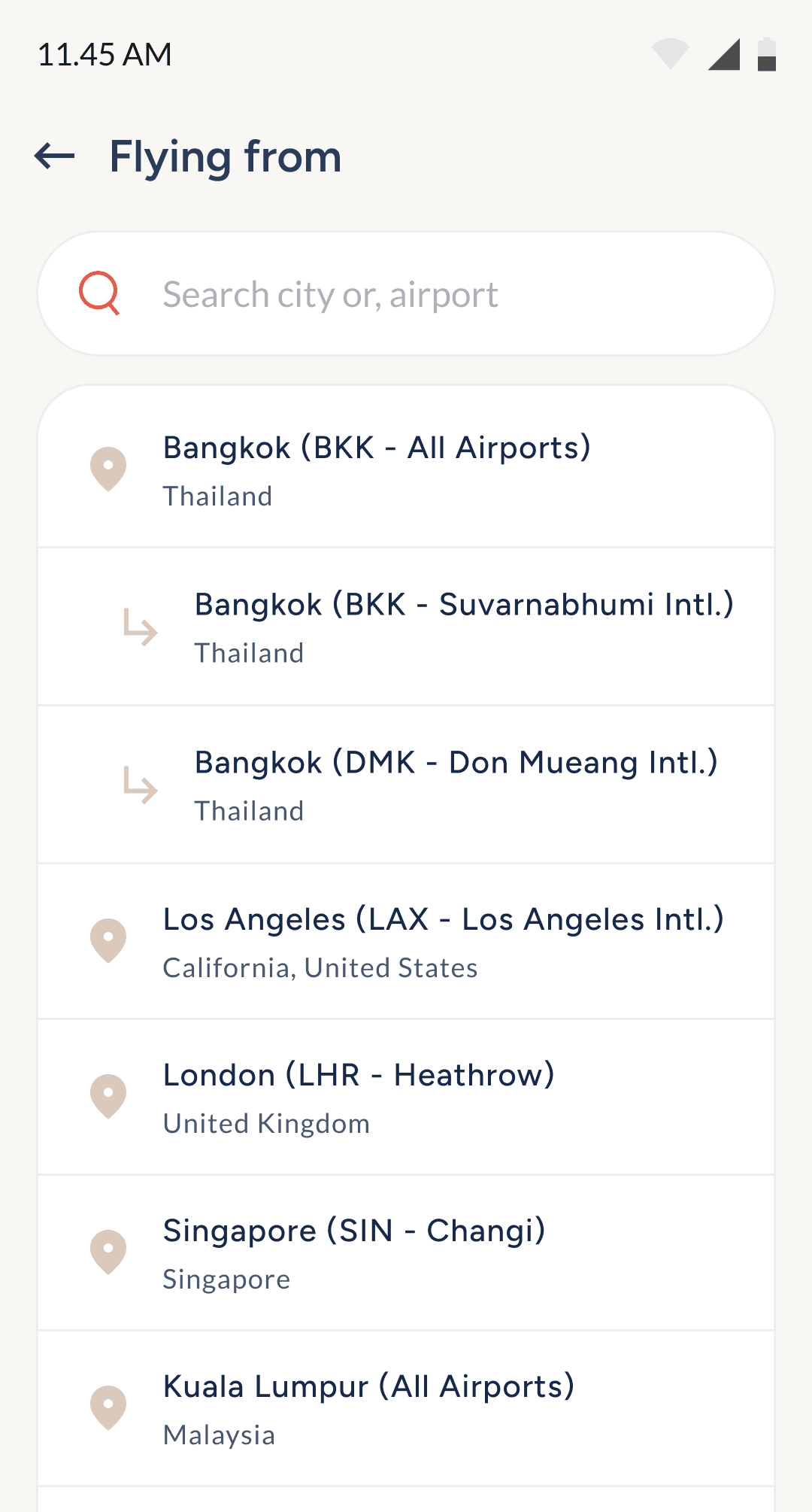
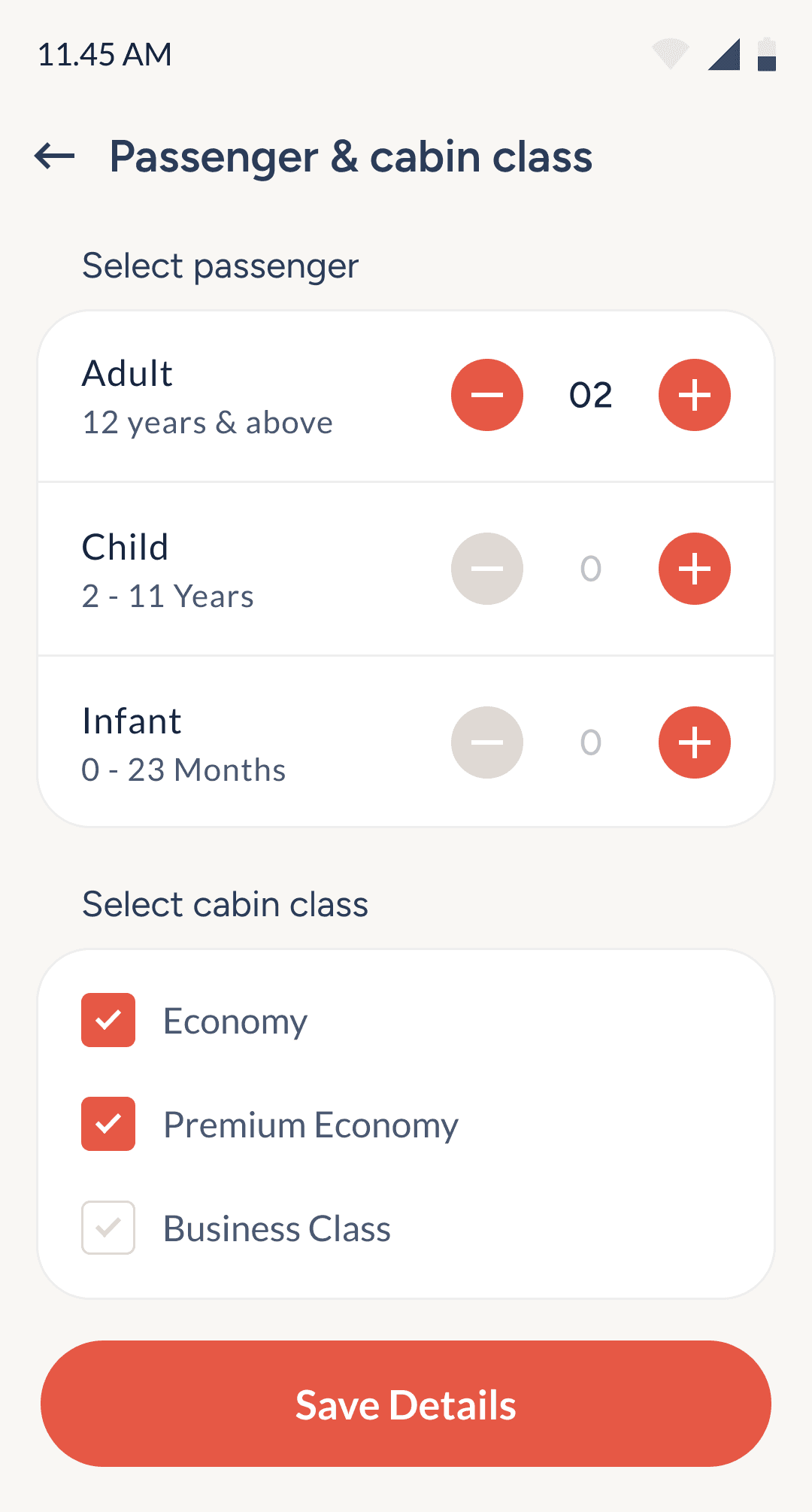
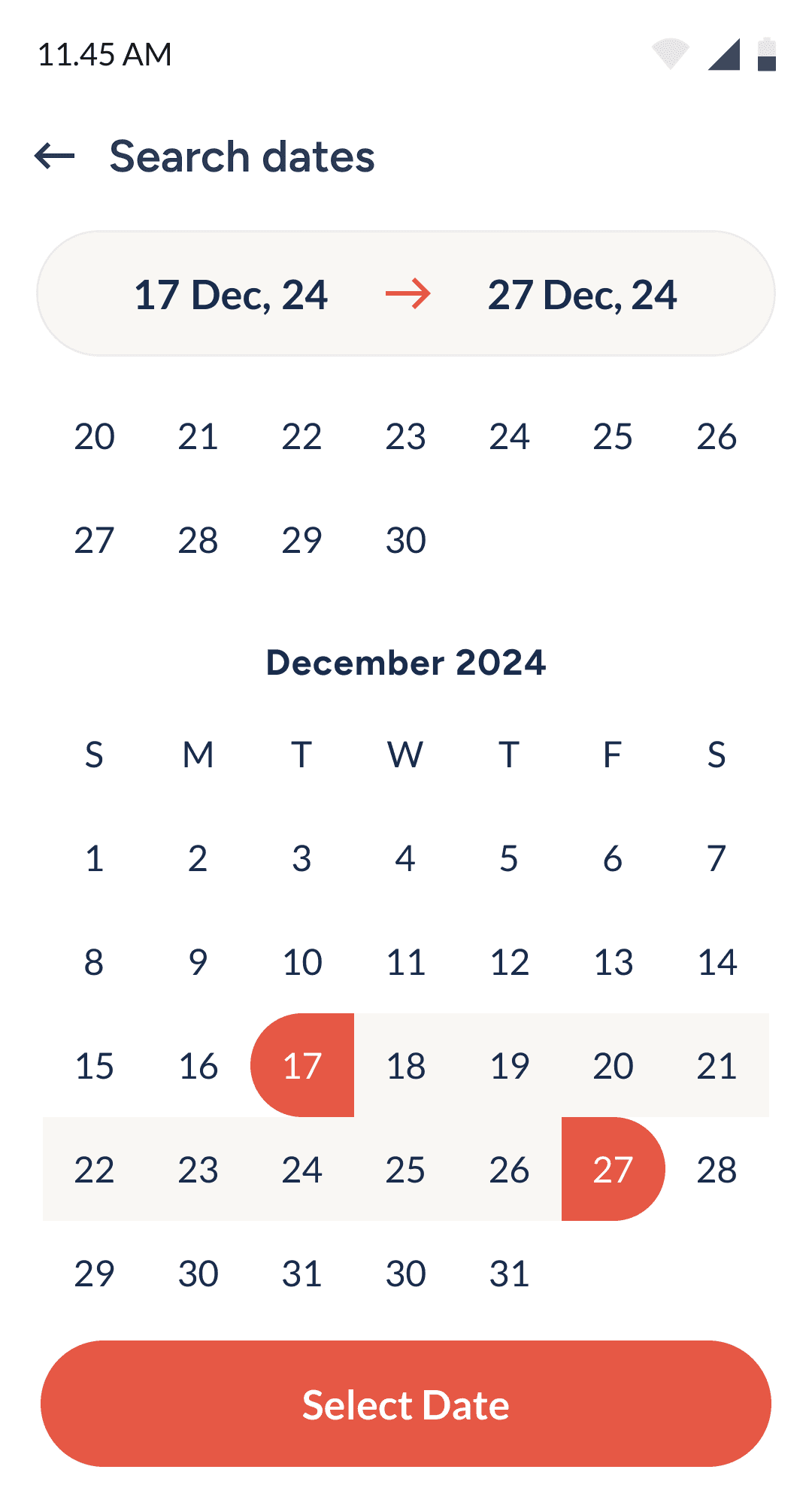
Clicking each field leads to its dedicated control screen.
Location search is grouped by city and airport (if multiple).
Simple add buttons help users track ticket count & passenger type easily.
Calendar highlights selected dates with large top display UI.
Flight search list & card overview
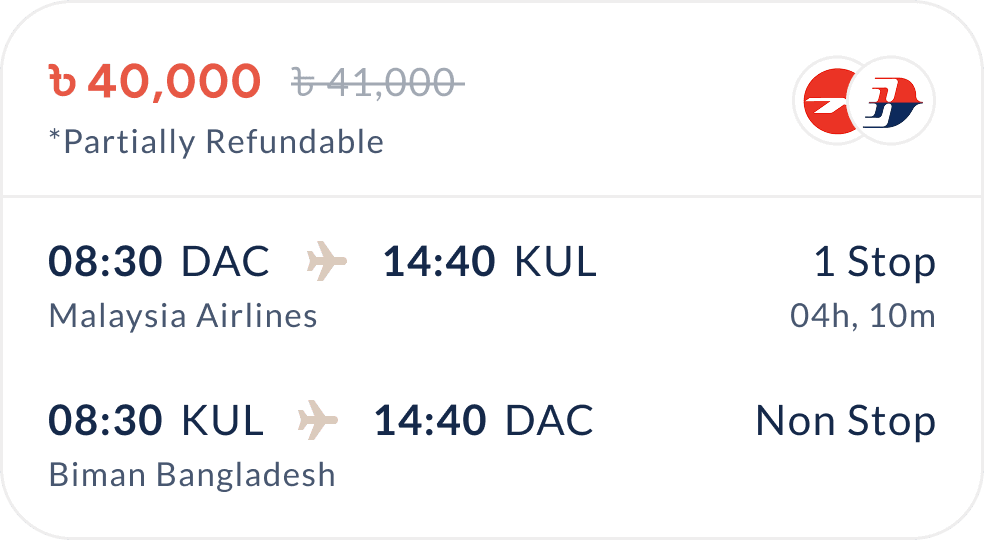
This card is designed to surface all key flight details at a glance, helping users compare options quickly and make confident decisions without digging deeper into each result.
Price shown upfront, with discount strike-through for quick comparison.
Airline logos shown, with visual cues for multi-airline combinations.
Refund policy clearly labeled (e.g., partially refundable) for informed decisions.
Stop count and total duration help users assess trip efficiency fast.
Flight time and airports displayed with full airline name for clarity.
Compact layout with visual balance ensures all info feels organized, not overwhelming.
Top nav clearly displays trip type and dates.
Corresponding cards shows ticket details based on trip type.
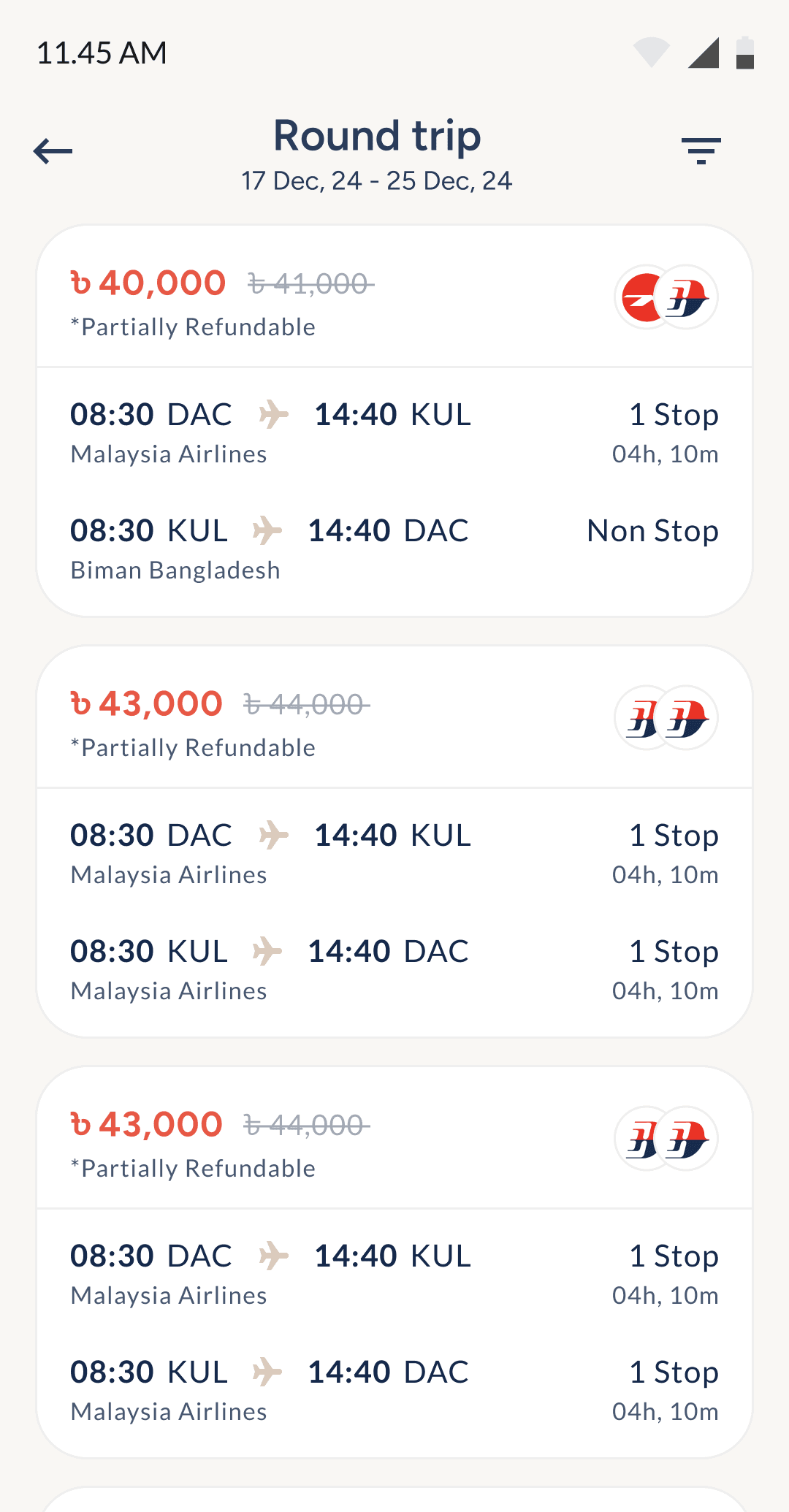
Round-trip card
Multi-city card
One-way card
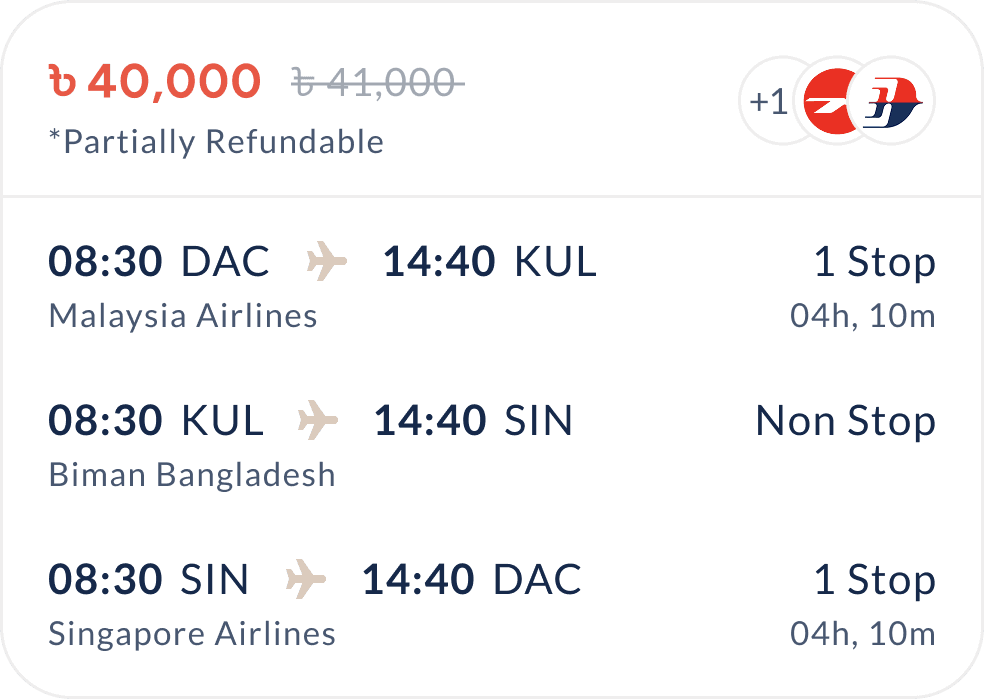
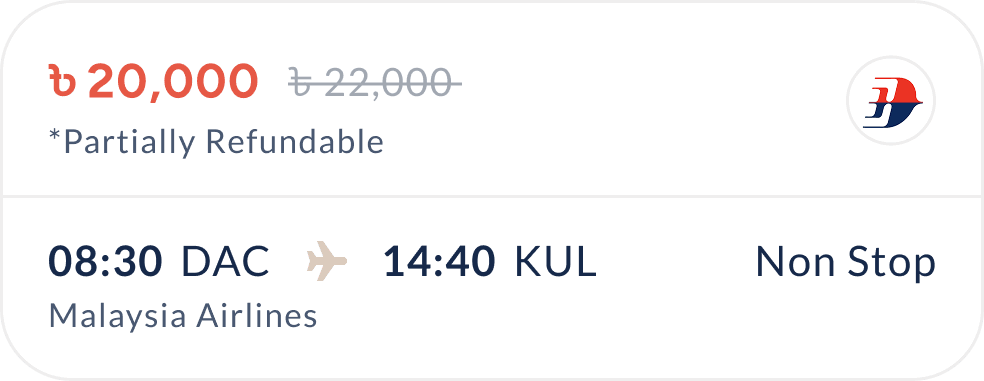
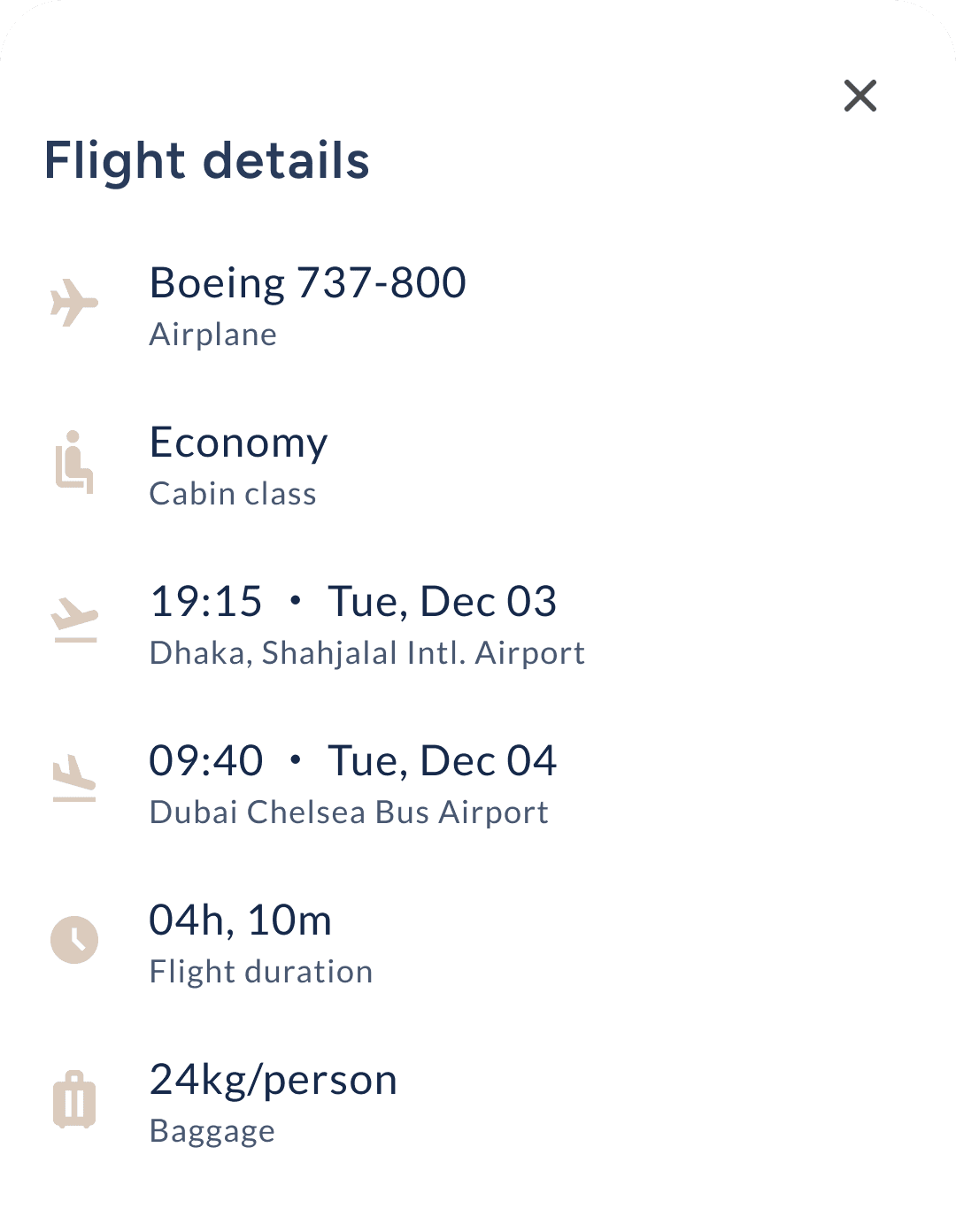
Ticket & flight
details page
This screen helps users review trip details clearly before booking, using structured cards and visual cues to prevent mistakes, especially with dates or multi-leg flights.
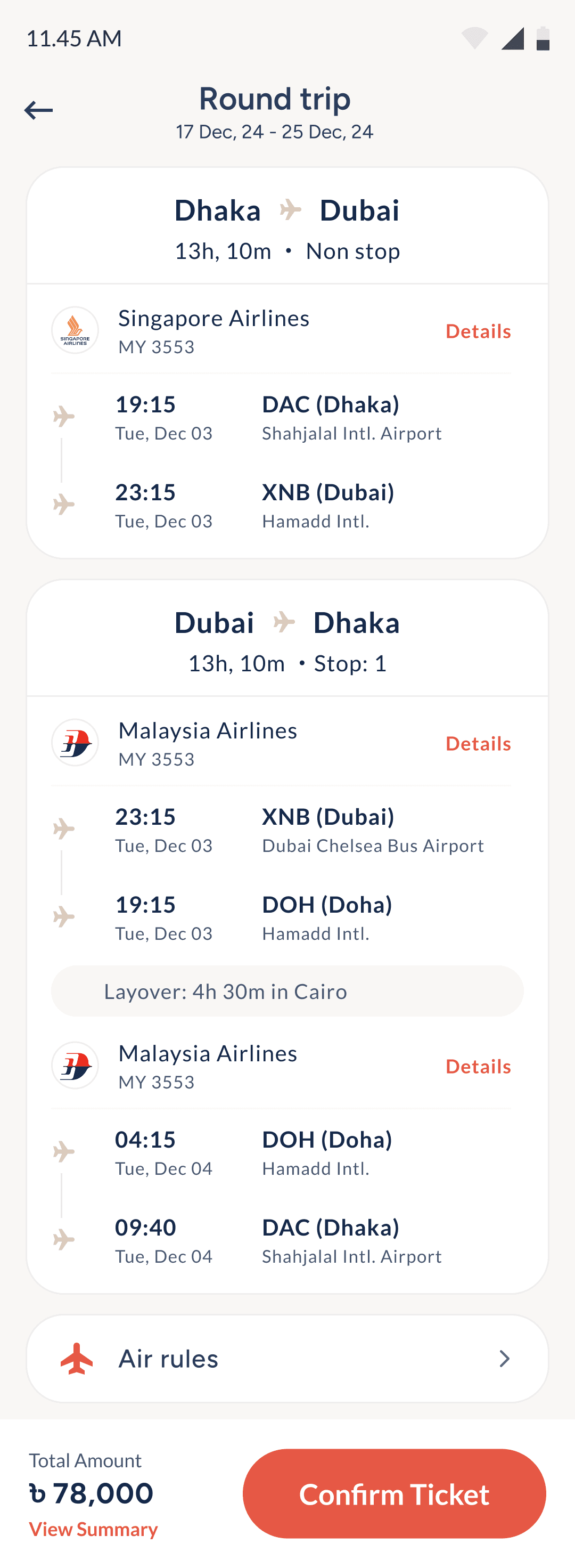
Trip type and date shown at the top to prevent booking mistakes.
Route, duration, and stop info displayed upfront for quick decisions.
Airline name and flight number shown to reduce guesswork.
Time, date, and airport info presented clearly for both directions.
Layovers are labeled with time and city for better visibility.
Air rules included in a tucked-away button to reduce clutter.
Bottom bar keeps price, summary, and confirmation always visible.
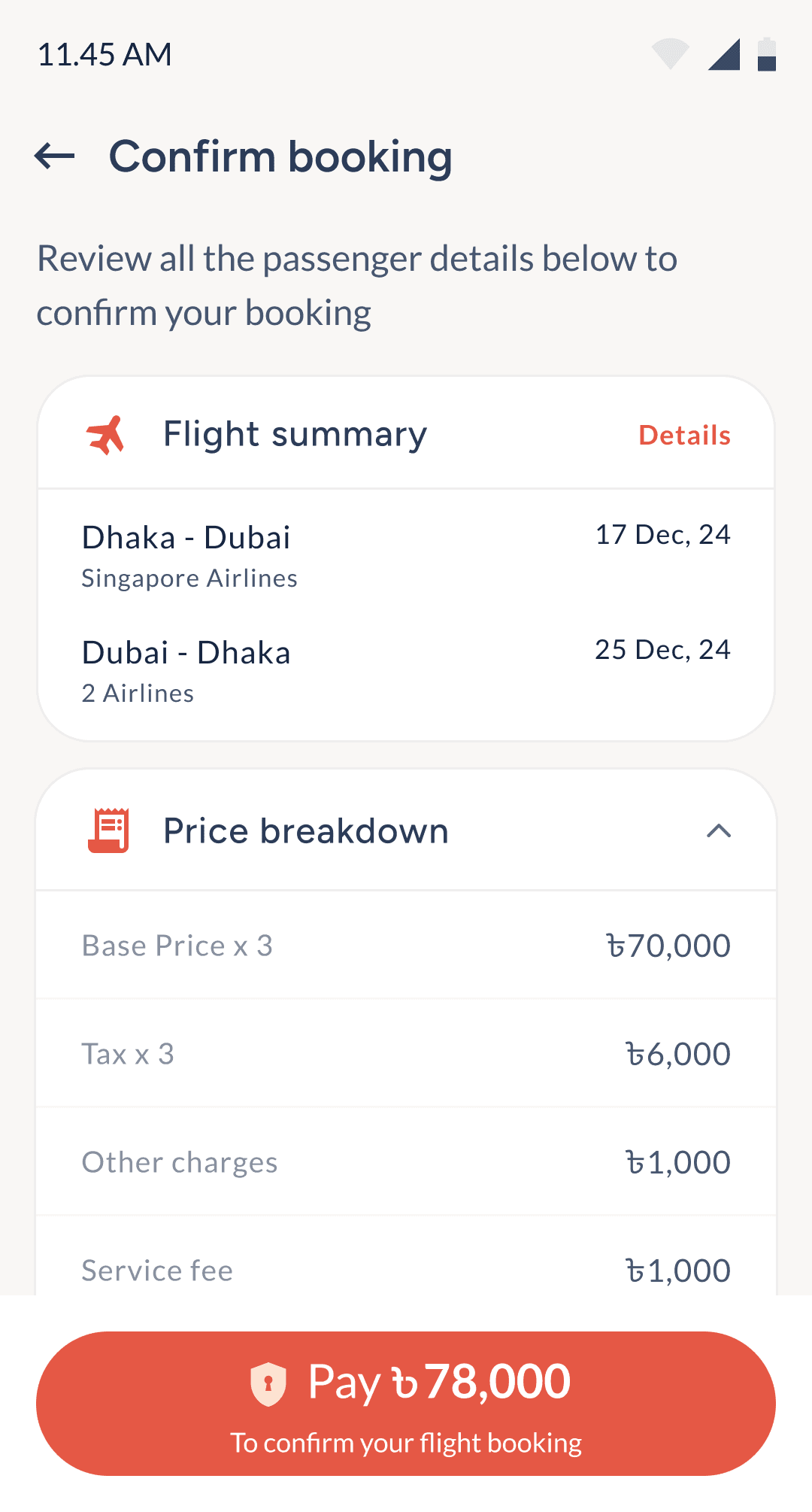
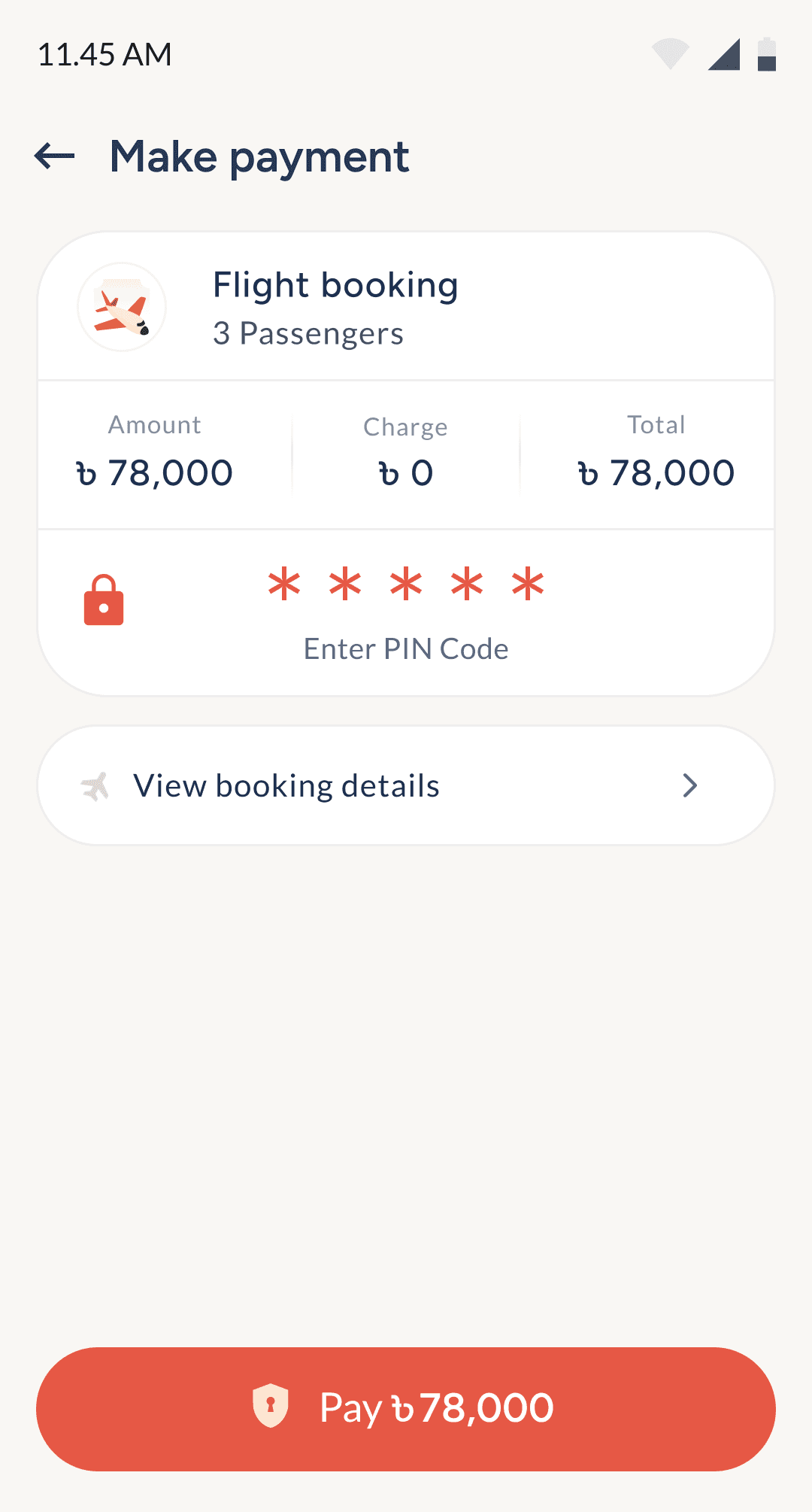
Enter passenger details & final payment
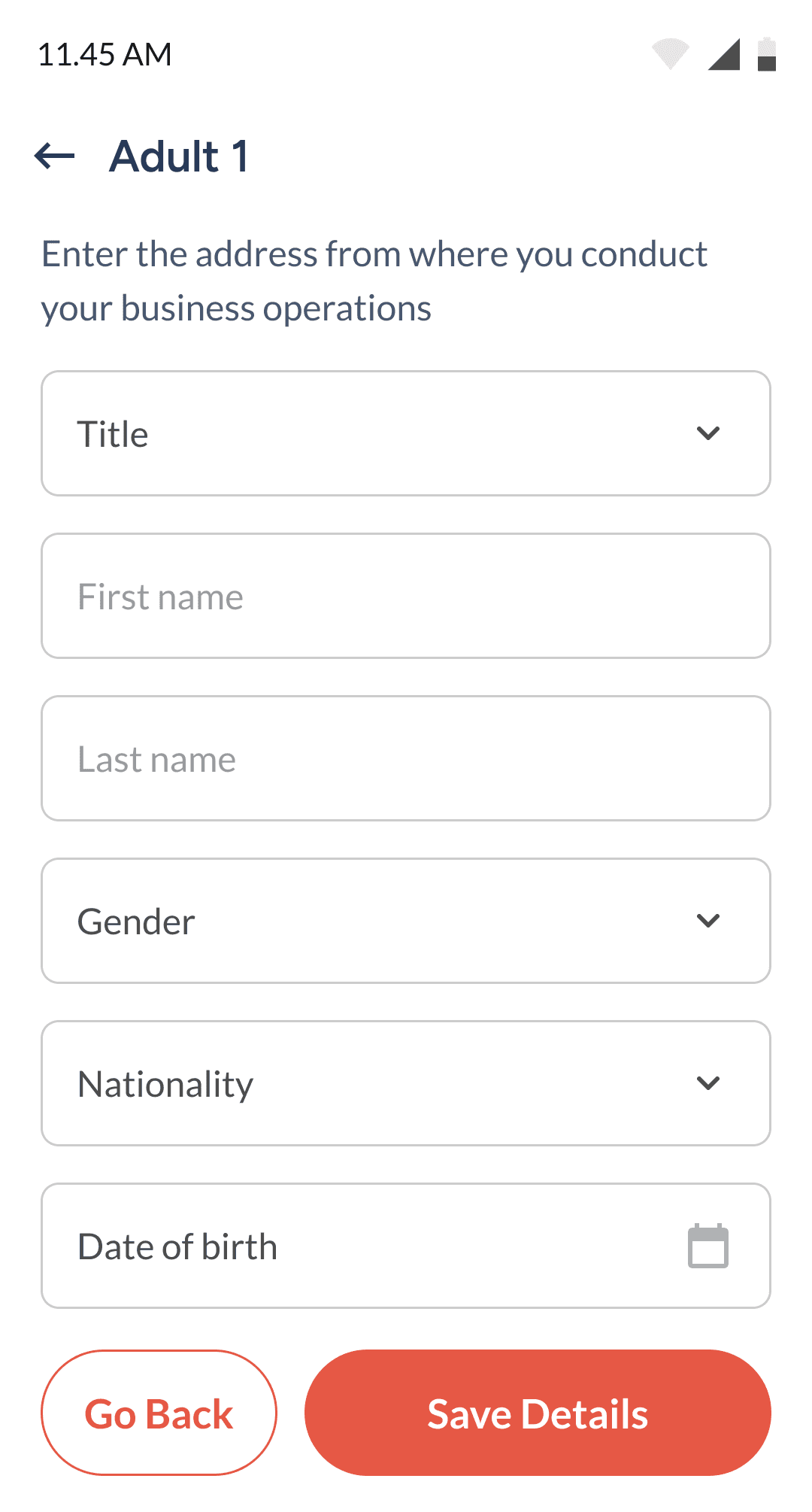
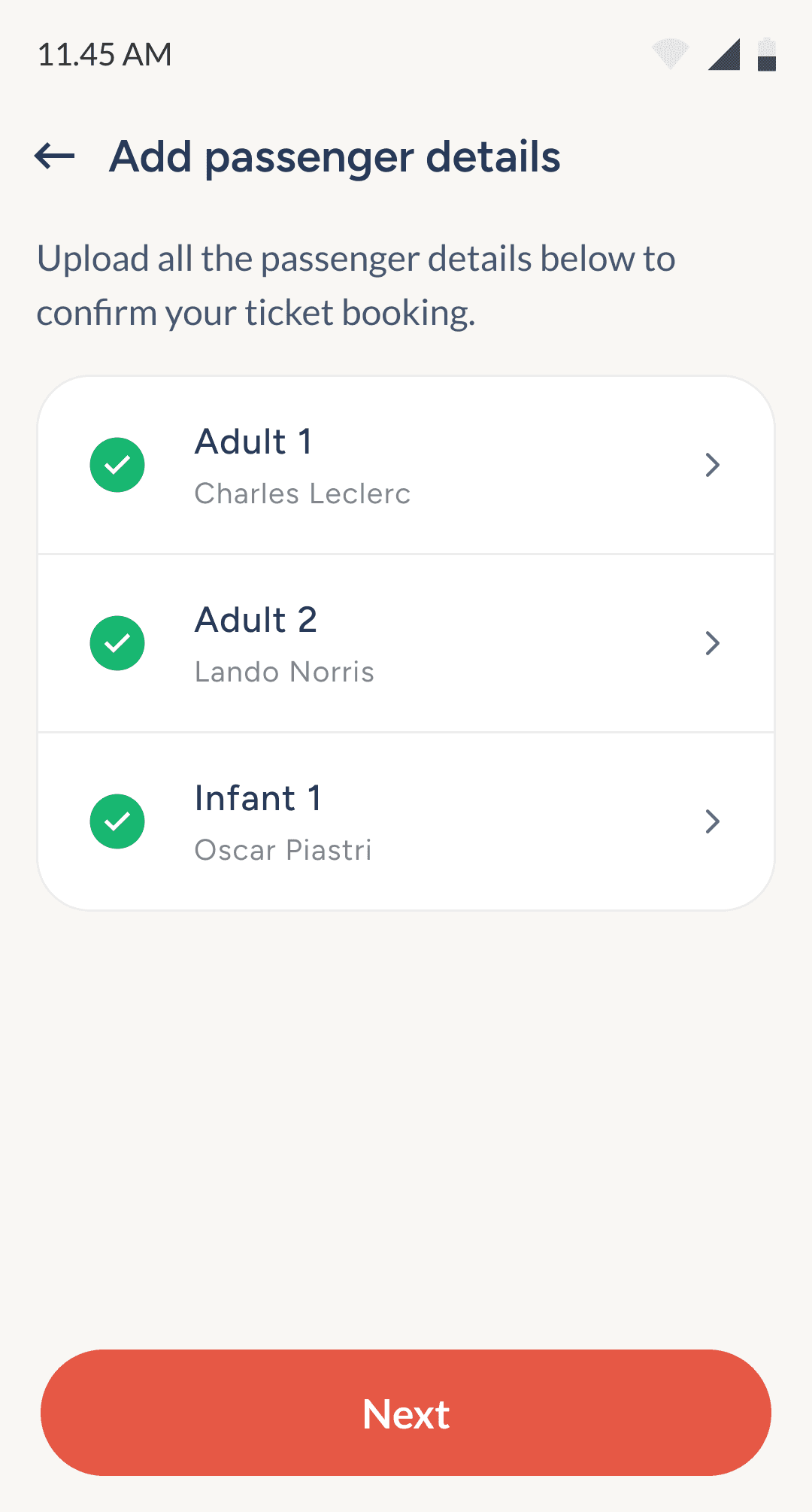
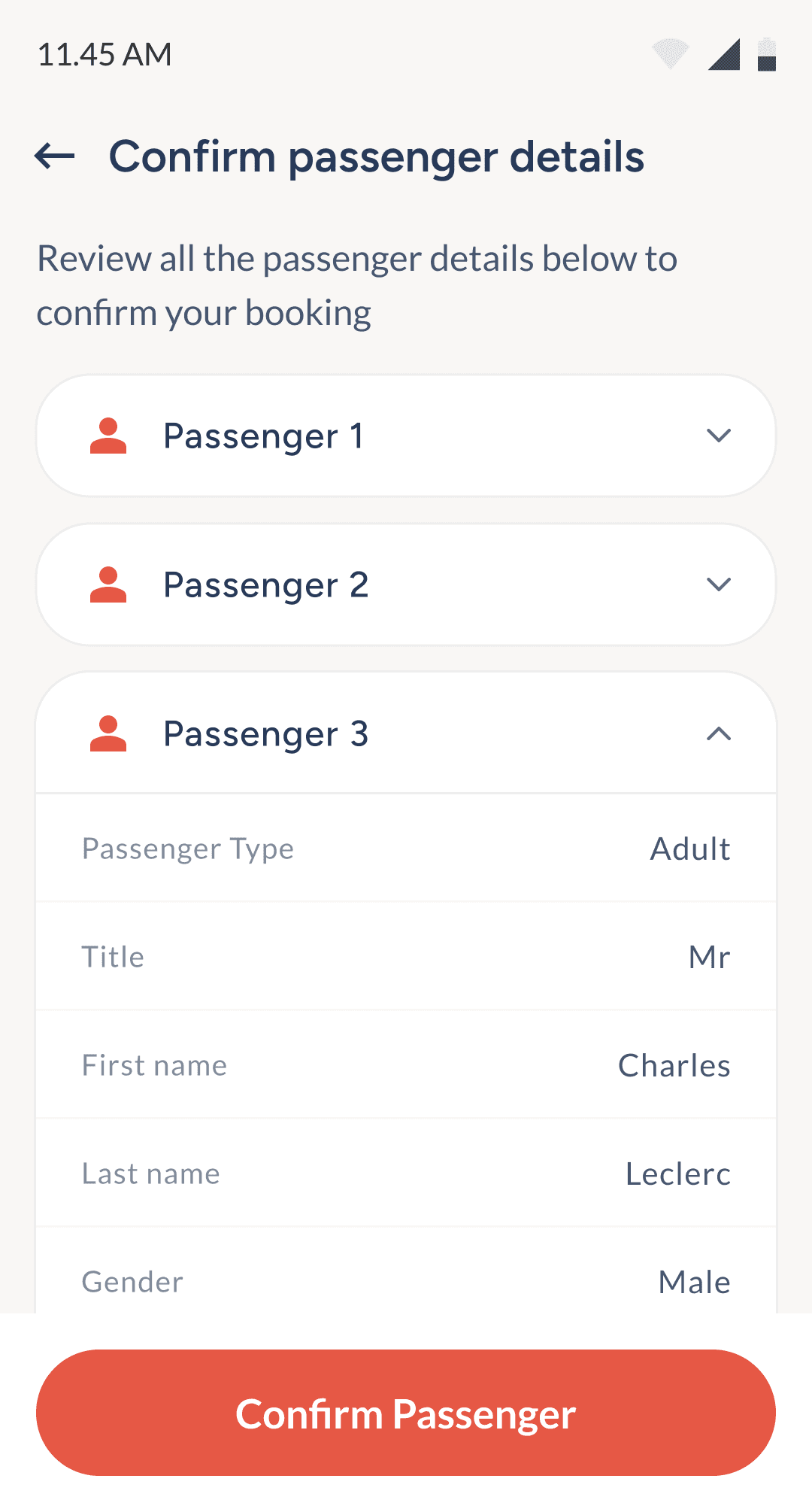
User will enter details for each selected passenger.
Passenger details forms to confirm ticket.
Once all details entered, user will verify details again.
Breakdown of the entire ticket for confirmation before payment.
With PayWell balance user pays for the ticket.
8
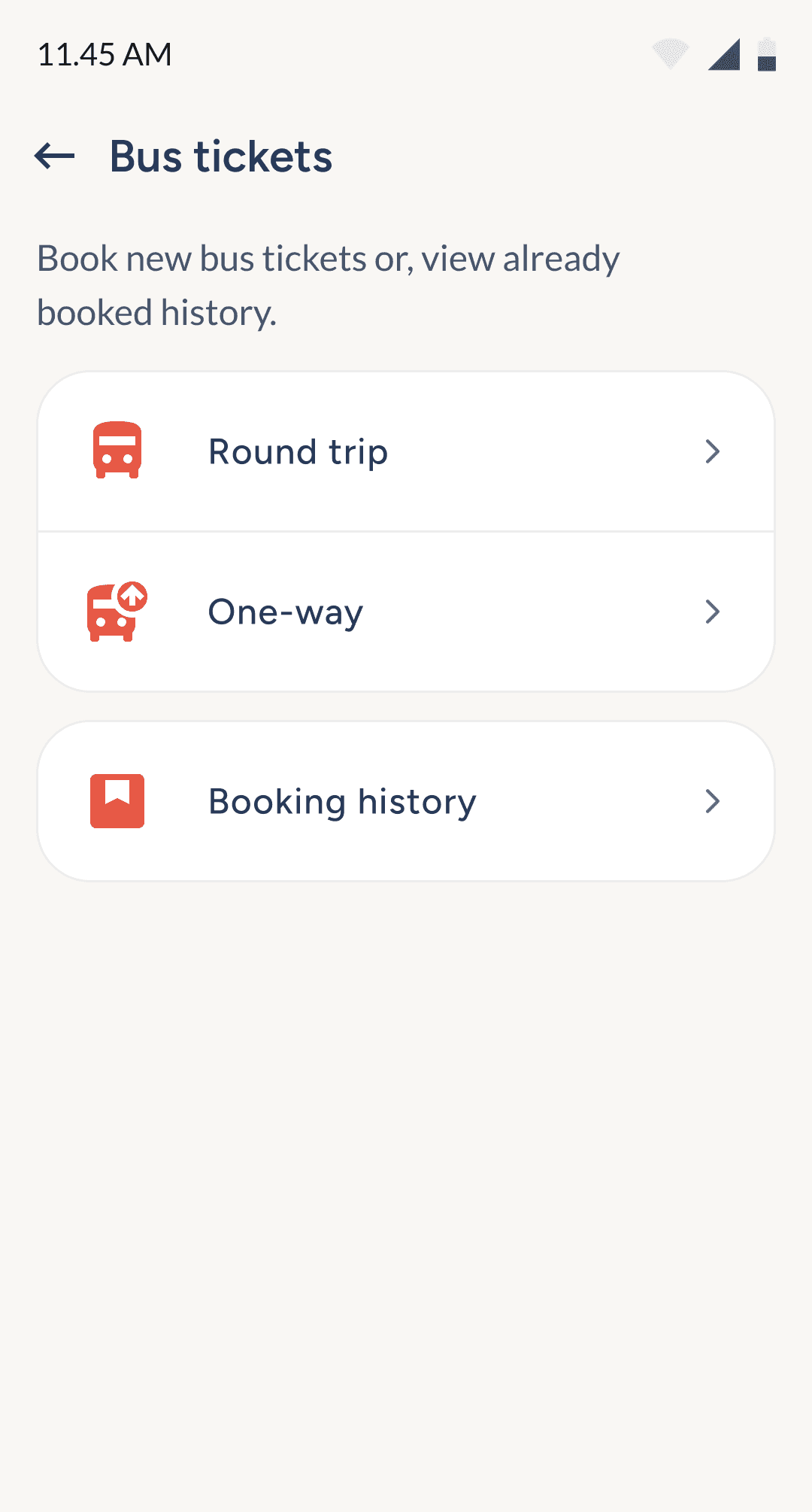
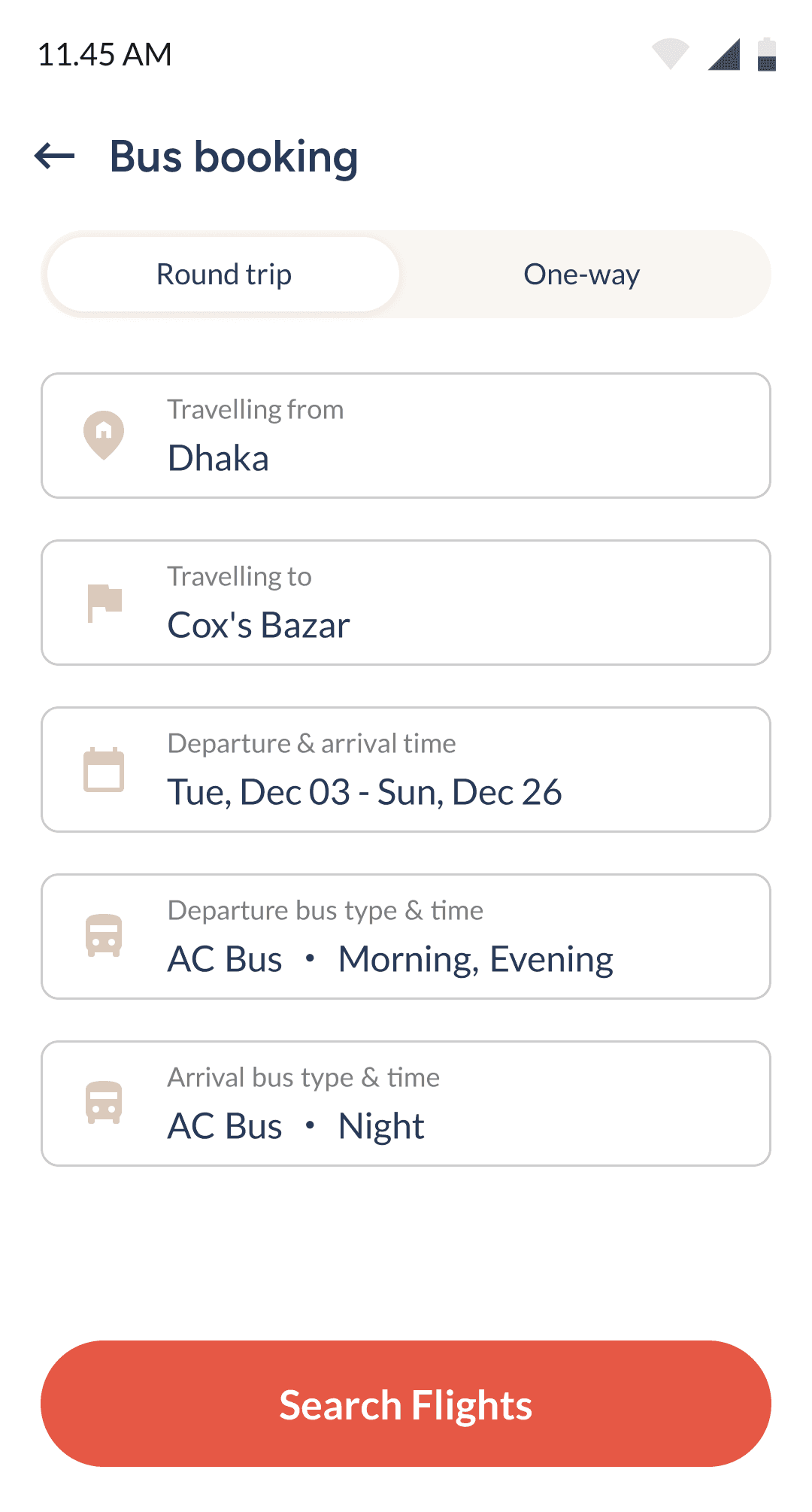
Bus tickets booking
& buying
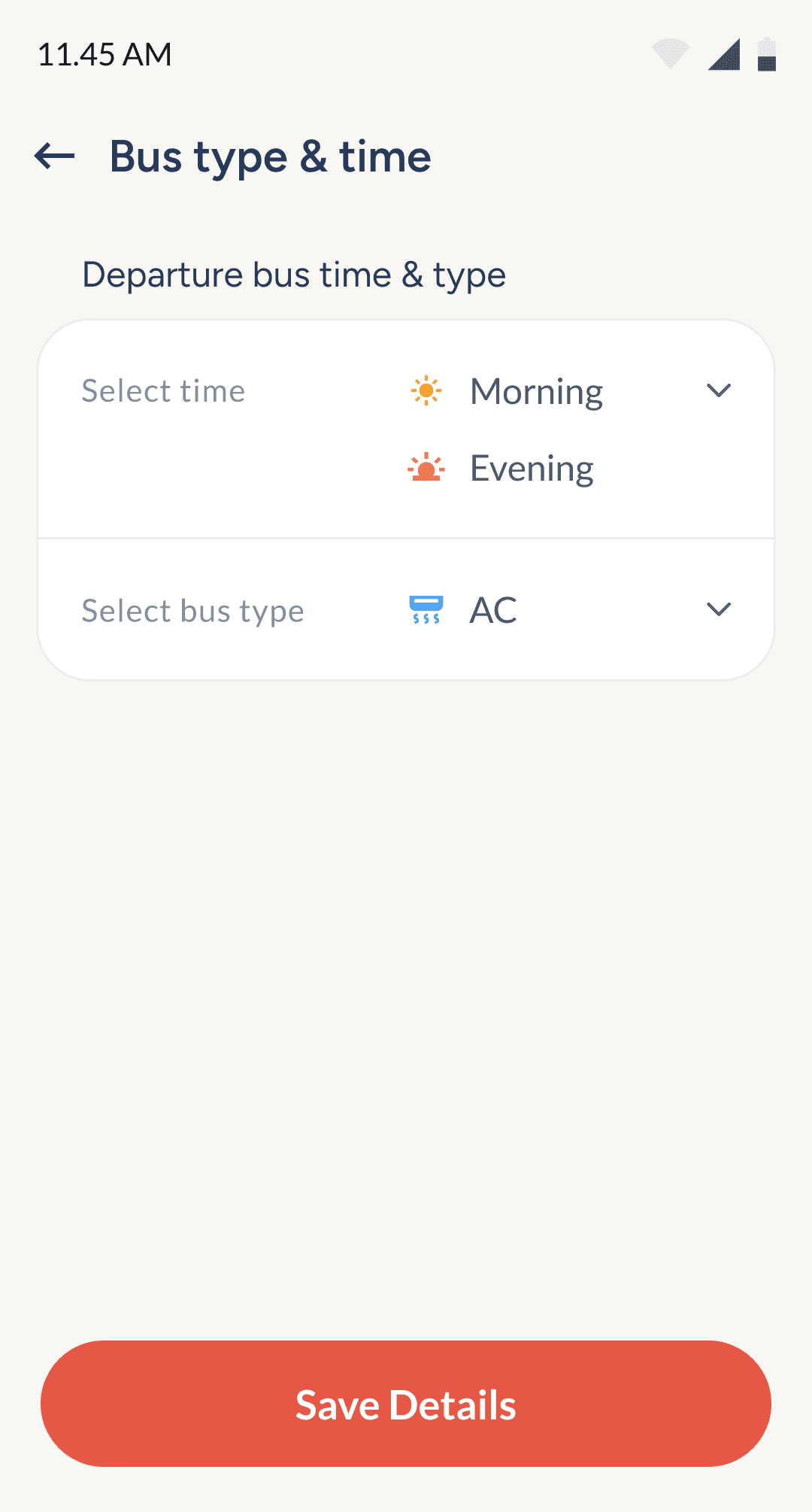
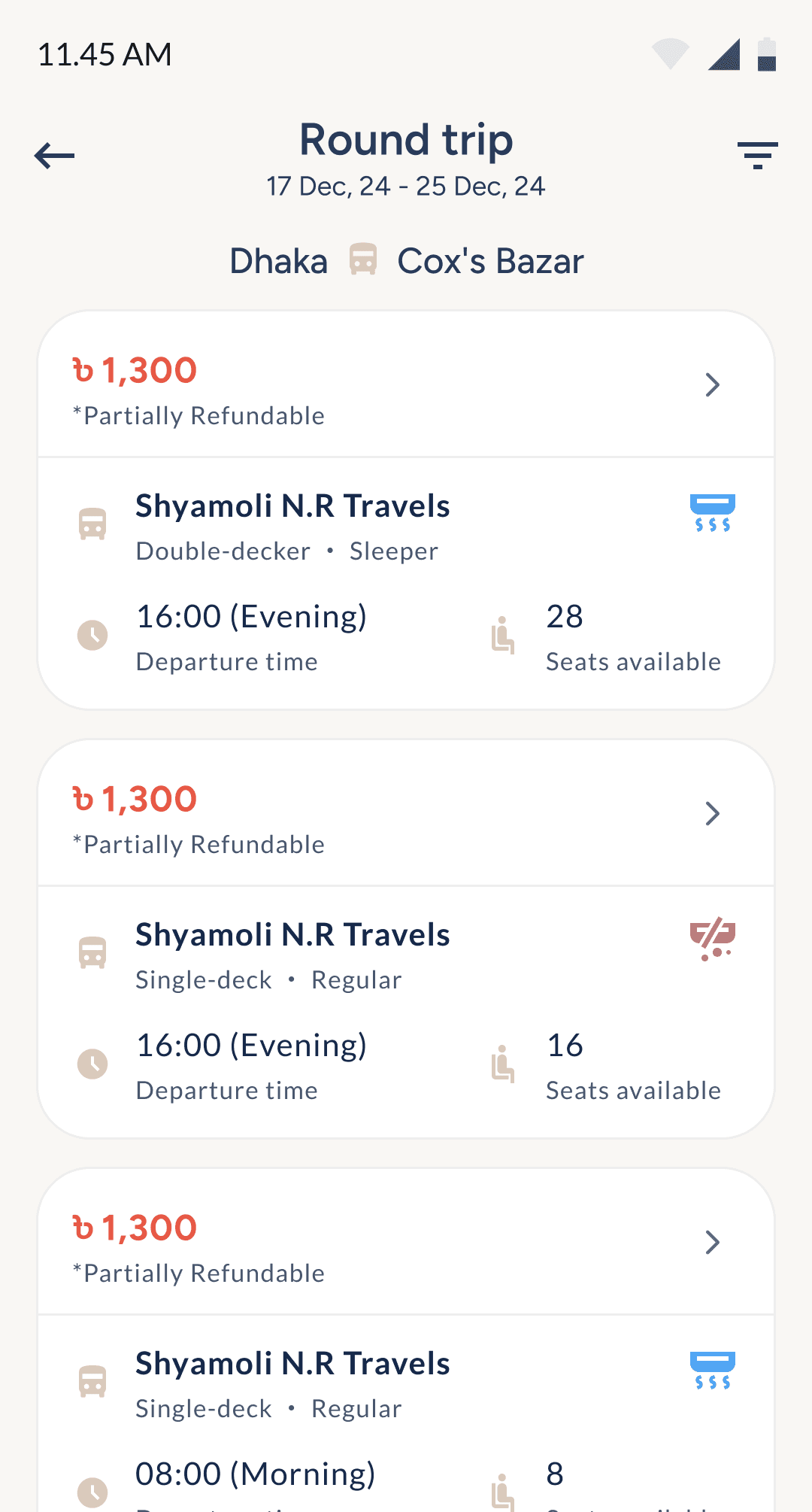
Similar to the flight booking experience, the bus ticket flow focuses on clarity, showing key info like route, time, stops, and seat type upfront, with extra details tucked behind buttons for a cleaner UI.
Bus seat selection
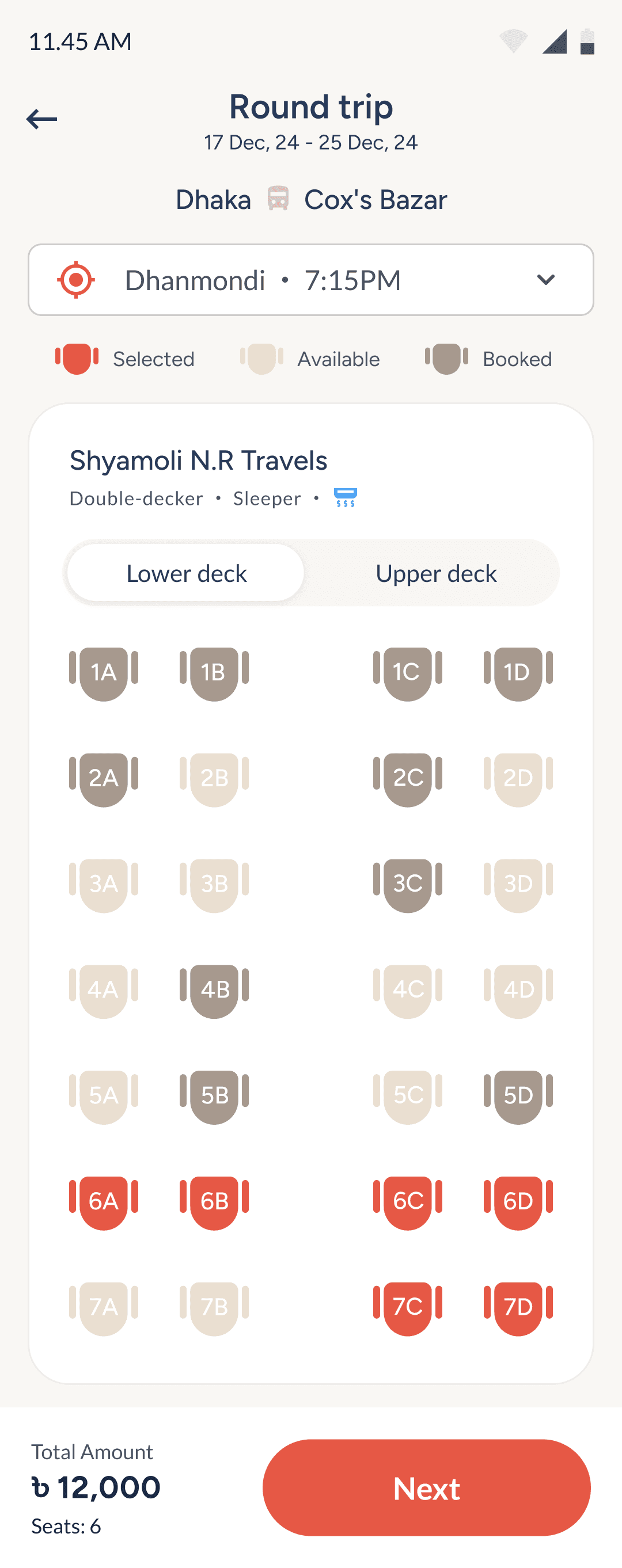
This screen helps users choose seats with clarity and confidence. Key trip info stays visible at the top, while the seat map and pricing are structured for quick, informed decisions.
Shows trip type and date at the top to reduce booking errors.
Lets users select bus stop and seat type with clear labels.
Displays bus name and features to set travel expectations.
Toggle allows easy switching between bus deck levels.
Seat map shows availability, helping users choose faster.
Bottom bar displays seat count and total for easy review.
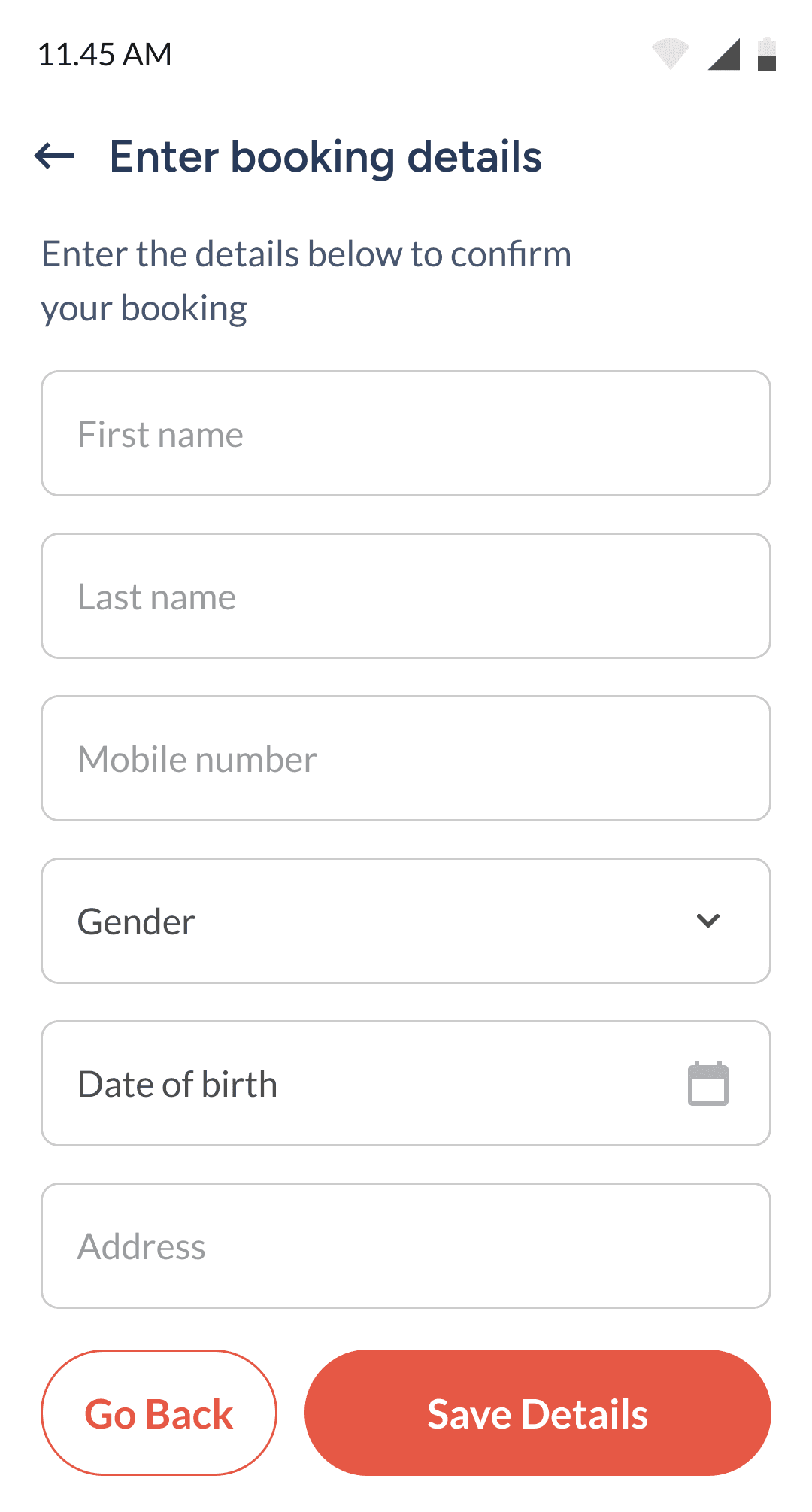
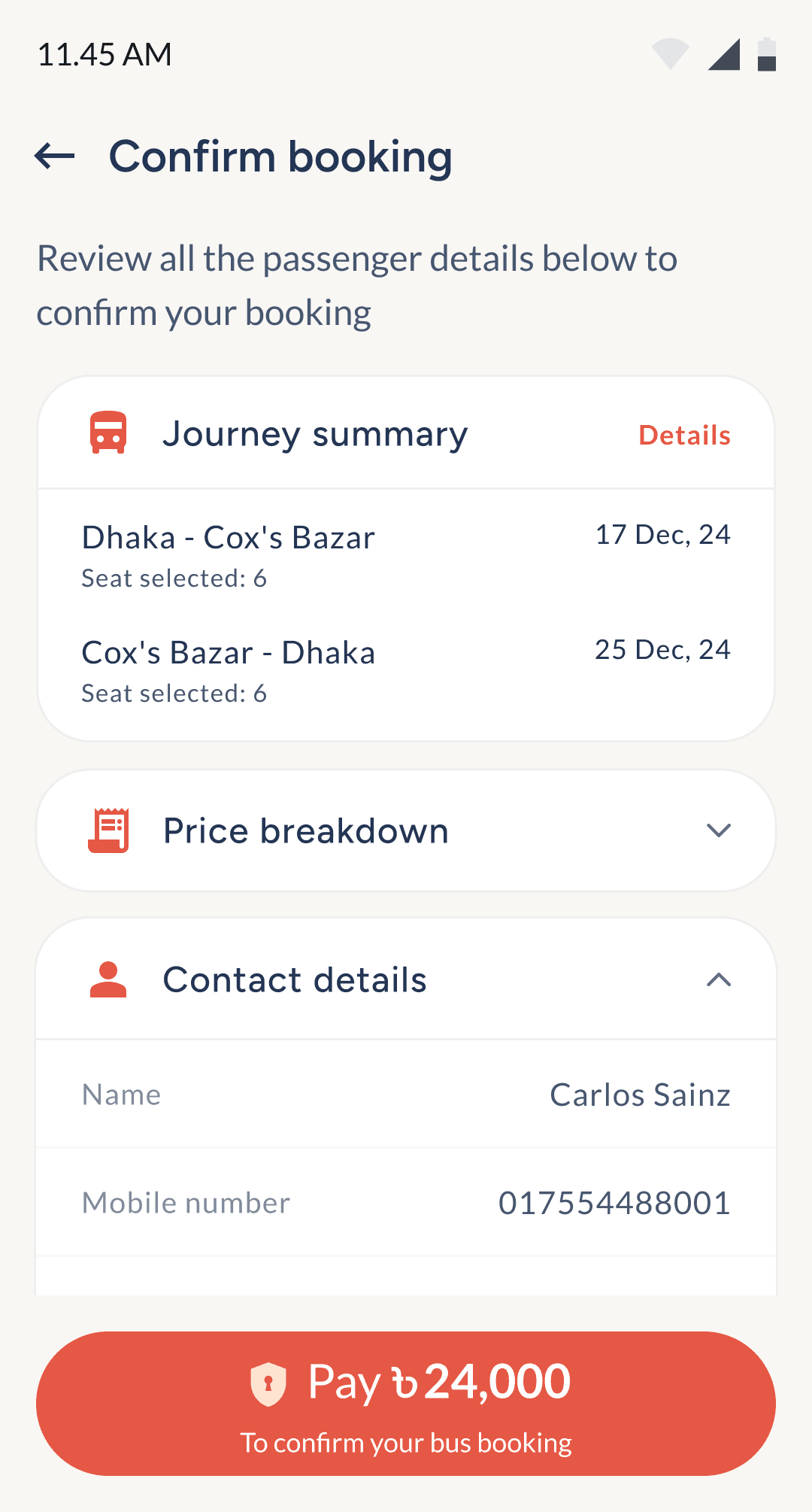
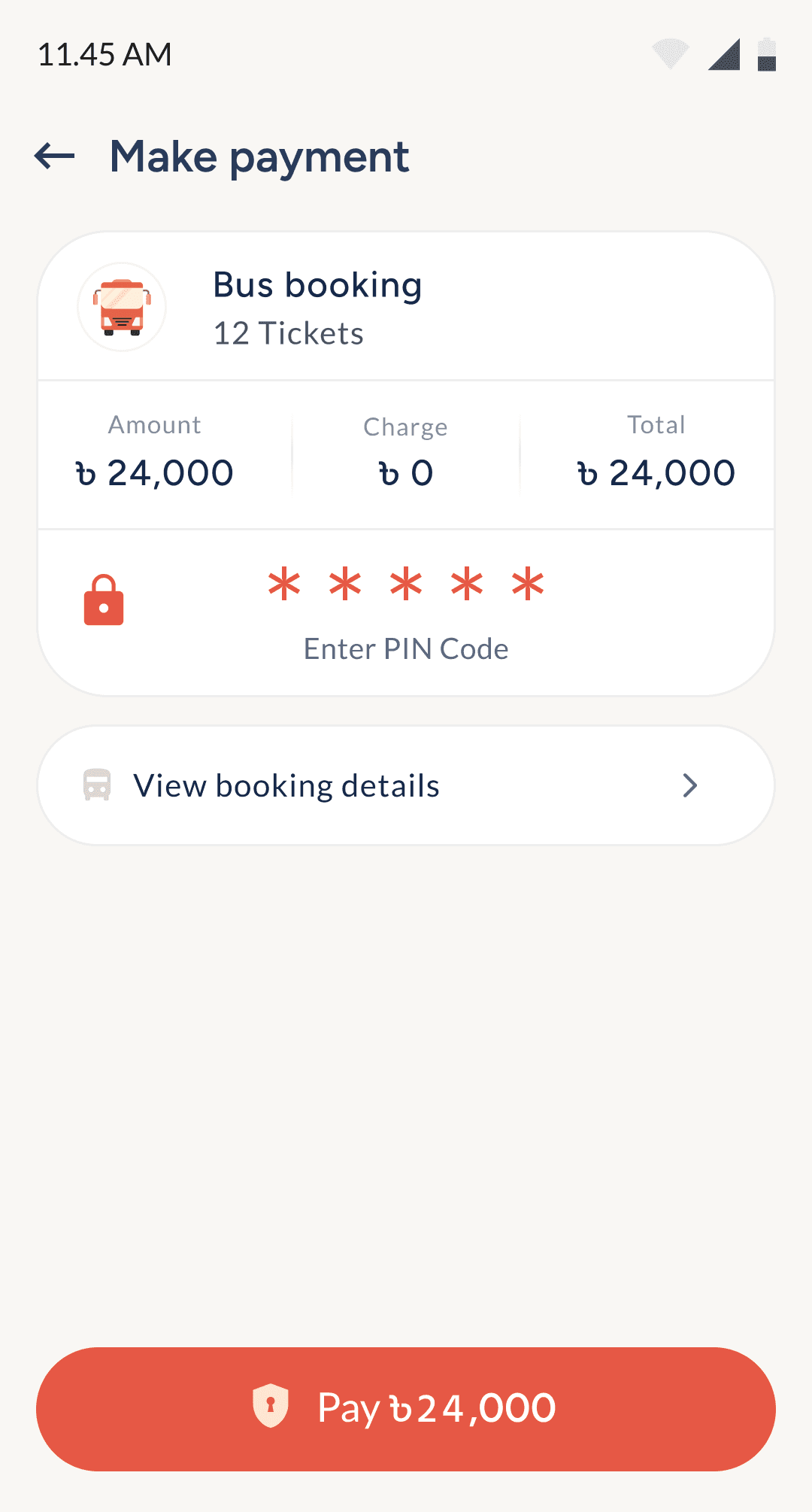
Enter passenger details & final payment
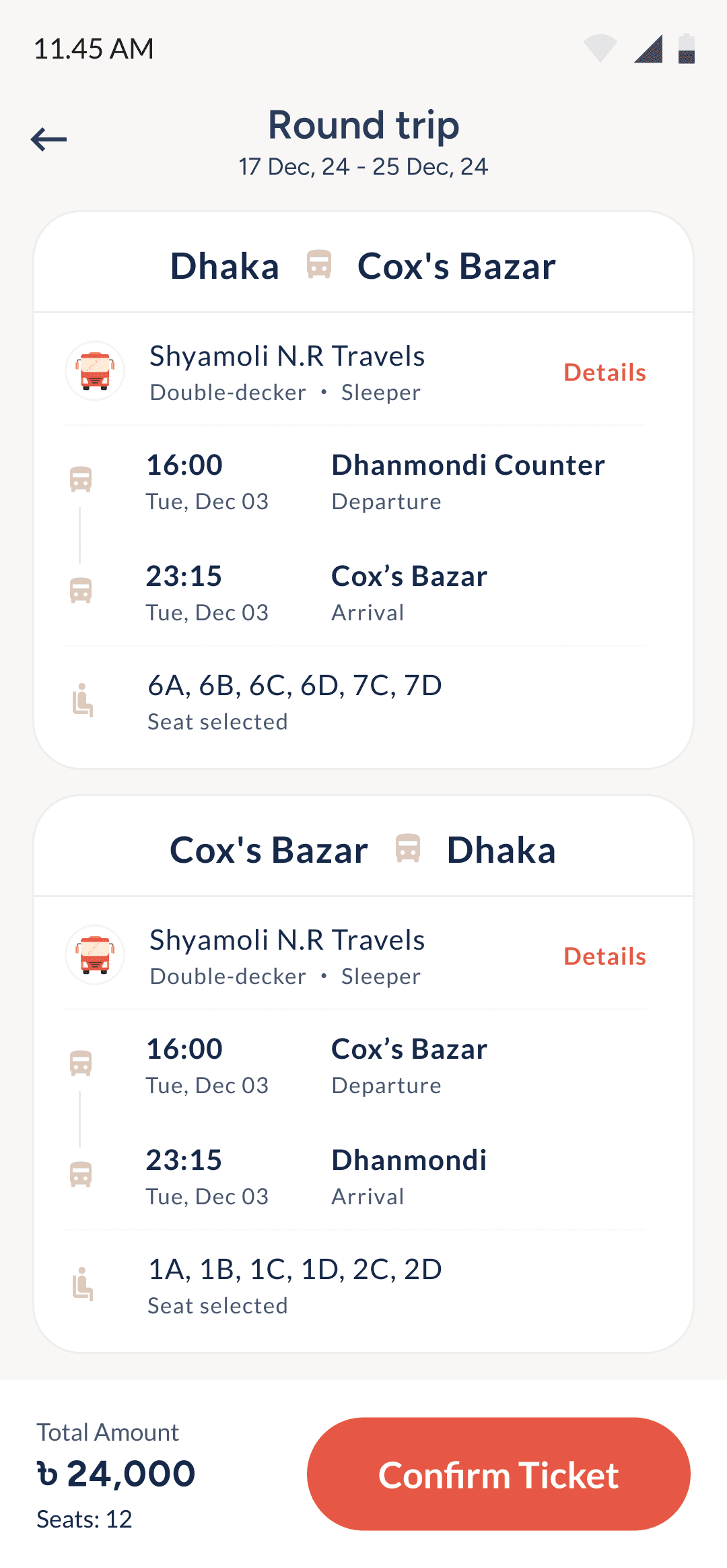
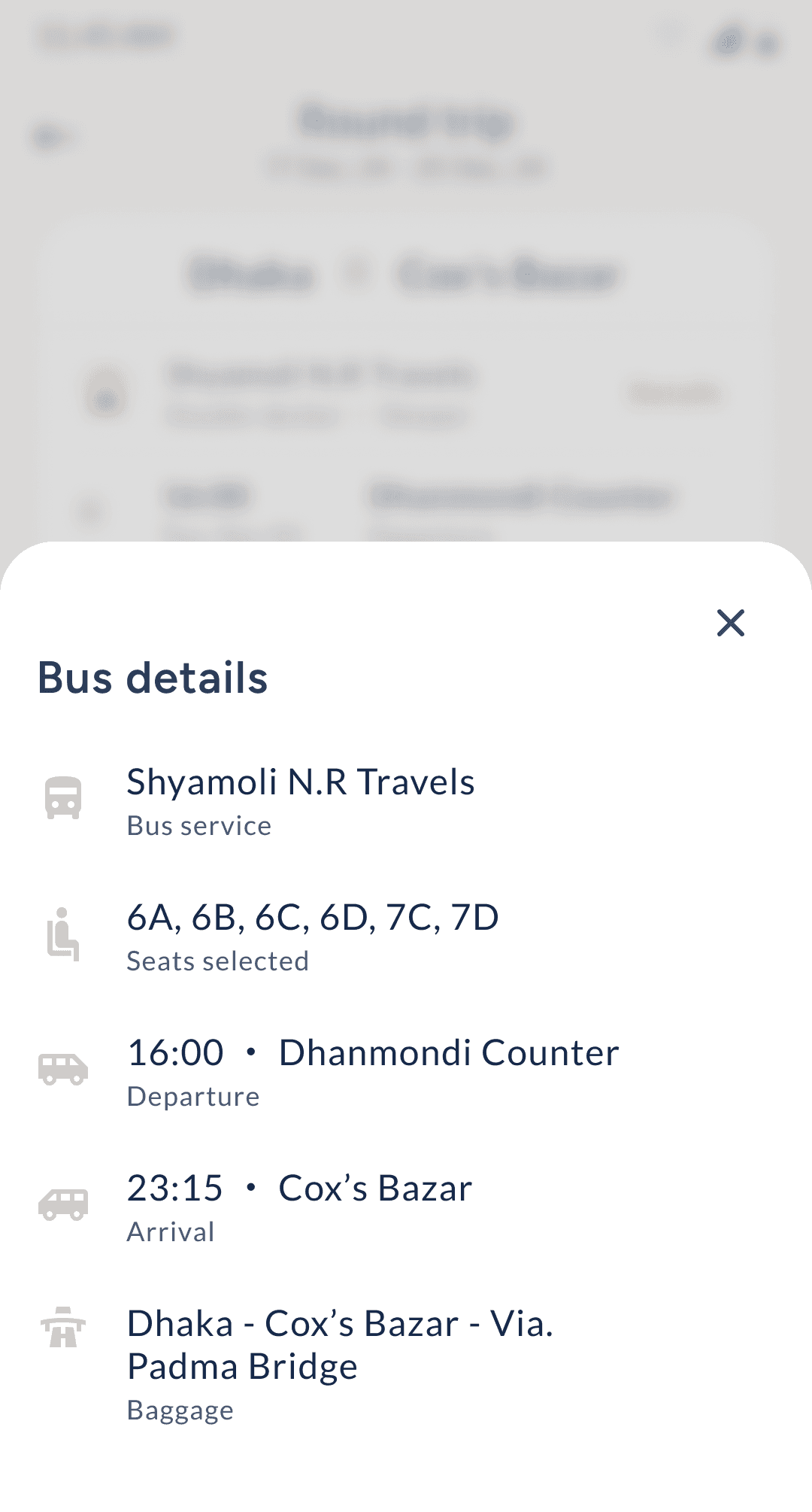
Minor details hidden away to keep UI clean.
Overall ticket details before confirmation.
Passenger details forms to confirm ticket.
Final breakdown & review before payment.
With PayWell balance user pays for the ticket.
Key Takeaways from the Project
The first version of PayWell Corporate focused on delivering key financial and travel solutions, ensuring seamless operations for businesses.

Structuring Complex Flows
Complex user journeys were broken into clear, reusable components for better scalability.

Designing for
Focus
Simplified interfaces allowed users to stay focused and complete tasks faster.

Cross-Team Collaboration
Close alignment with product, dev, and brand teams led to more cohesive outcomes.

Letting Research
Lead
User feedback and competitor analysis directly informed design decisions.

Attention to
Usability Details
Small choices like layout, contrast, and grouping significantly improved usability.

Managing Creative Burnout
Working solo on a large project taught the importance of rest and realistic pacing.
PayWell Corporate
PayWell Corporate streamlines operations and transactions for Bangladeshi businesses on a single platform.
This case study is best viewed on a bigger screen. Switch to a laptop or desktop to see all the details.
PayWell Corporate
PayWell Corporate streamlines operations and transactions for Bangladeshi businesses on a single platform.
This case study is best viewed on a bigger screen. Switch to a laptop or desktop to see all the details.